
Choosing an Android TV box is about more than comparing processor names or counting storage. The right device should fit the way you watch TV, the applications you use, your home network, and the features you actually rely on every day.
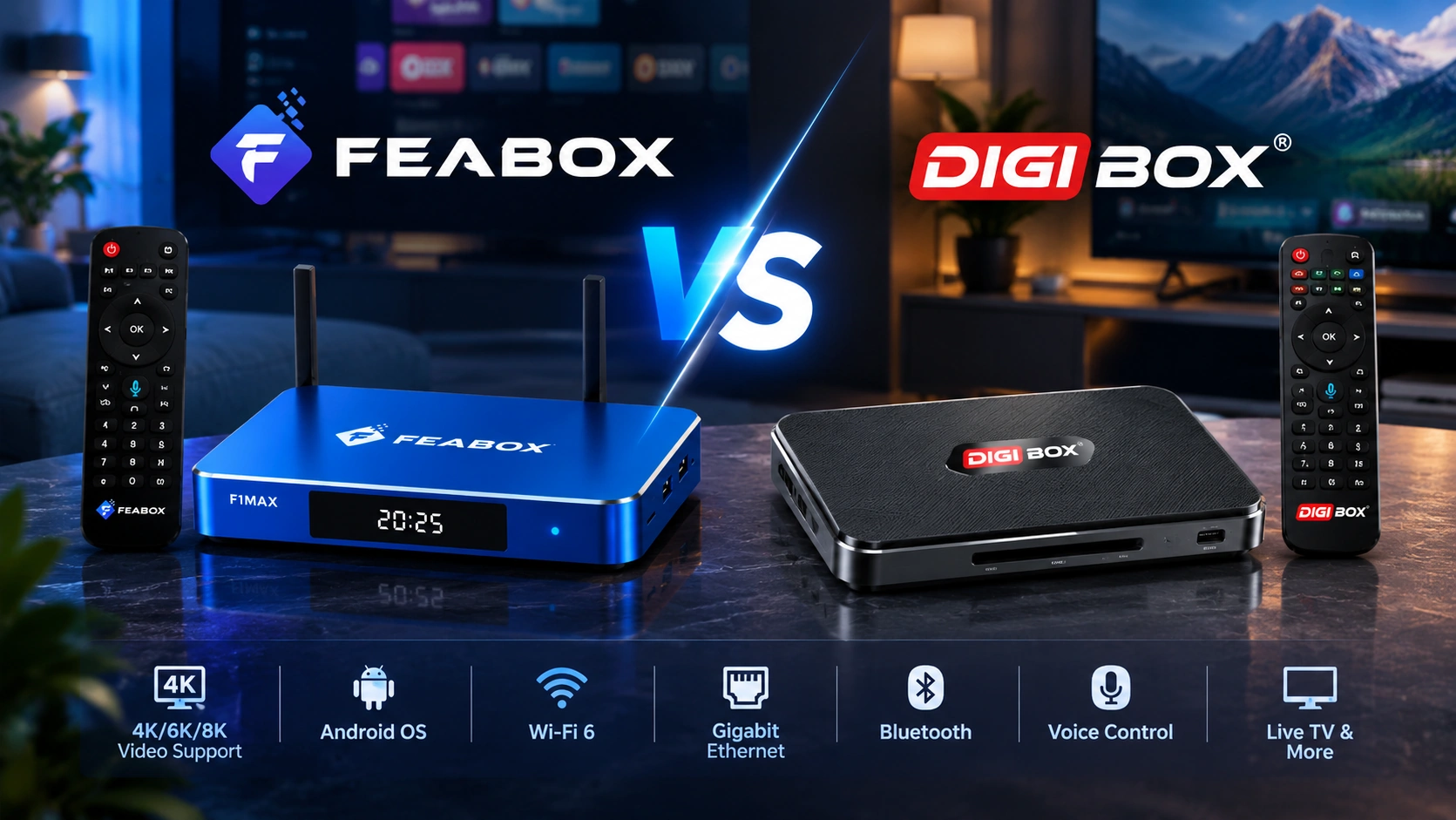
The FeaBox vs DigiBox comparison looks at the areas that matter most in everyday use, including hardware, storage, connectivity, software, remote control, and live TV features. FeaBox offers the F1 Pro and F1 Max, while DigiBox currently promotes the D6 Max as one of its main Android TV box models. Looking at these devices side by side can make it easier to understand which configuration fits your entertainment setup.
What Should You Compare in an Android TV Box?
Buying a streaming box can seem simple until you start comparing the specifications. Processor type, RAM, storage, Android version, Wi-Fi, Bluetooth, and video support all appear important. However, these numbers only tell part of the story.
The more useful question is how those specifications translate into everyday use. A household that mainly watches live TV may care more about Time-Shift and remote control. Someone who installs many applications may place greater importance on storage. Users with newer home networks may also want Wi-Fi 6 and Gigabit Ethernet.
This is why the FeaBox vs DigiBox comparison should look at the complete experience rather than focusing on one specification. If you want a broader guide to the features that matter when choosing a fully loaded TV box, our fully loaded TV box comparison covers hardware, connectivity, and entertainment features in more detail.
Hardware and Processing Performance
Hardware affects how an Android TV box handles applications, menus, streaming services, and multitasking. Processor architecture and memory are therefore useful starting points when comparing two devices.
FeaBox F1 Pro and F1 Max use a quad-core ARM Cortex-A53 processor with 4GB of RAM. Both models run Android 12 and support 6K@60fps video decoding. FeaBox also equips both models with dual-band Wi-Fi 6 connectivity and 2T2R antenna technology.
DigiBox D6 Max also uses a quad-core ARM Cortex-A53 processor and 4GB of DDR3 RAM. It runs Android 12 and adds a Mali-G31 MP2 GPU, with the manufacturer listing H.265 decoding up to 8K at 24fps and 4K at 60fps.
On paper, both platforms use a similar CPU class and the same Android generation. The more important differences appear in other areas, including storage, Bluetooth, USB connectivity, video decoding, and the features built around the viewing experience.
Rather than assuming that a higher resolution number automatically means a better everyday experience, consider what you actually watch. For standard streaming and live TV, interface responsiveness, network stability, application access, and convenient controls can have a greater effect on how the box feels during daily use.
Storage and Everyday App Use
Storage becomes more useful as you install applications, add services, and expand the way you use your TV box.
The FeaBox F1 Pro comes with 32GB of internal eMMC storage, while the F1 Max increases this to 64GB. The two models otherwise share the same core hardware and features.
This gives FeaBox users a straightforward choice. The F1 Pro is suited to a simpler setup where 32GB provides enough room for the applications and services you regularly use. The F1 Max gives you twice the internal storage when you want more space for applications and downloads.
DigiBox D6 Max comes with 64GB of eMMC storage and 4GB of RAM.
That means the F1 Max and D6 Max offer the same stated internal storage capacity, while the F1 Pro provides a lower-capacity option for users who do not need as much space.
For many buyers, this makes the FeaBox lineup easier to approach. Instead of paying attention only to the largest storage number, you can choose the model that matches your actual usage. If you mainly stream and use a relatively small selection of applications, the F1 Pro keeps the setup simple. If you expect to install more applications, the F1 Max provides additional room.
Connectivity and Home Network
Connectivity can have a noticeable effect on an Android TV box, especially in homes with several connected devices.
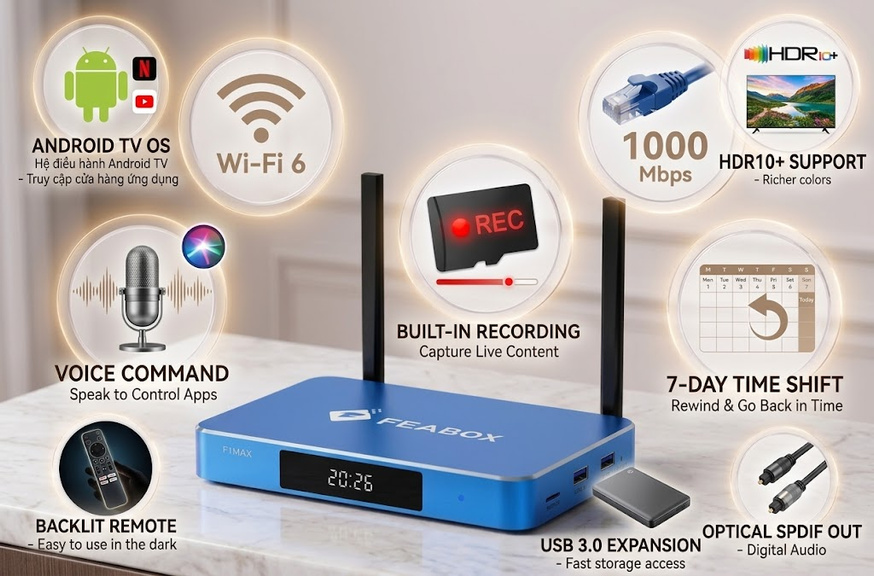
FeaBox F1 Pro and F1 Max support dual-band Wi-Fi 6 with 2T2R antenna technology. Both models also provide Gigabit Ethernet for users who prefer a wired connection.
DigiBox D6 Max also supports dual-band Wi-Fi 6 and 2T2R connectivity. Its Ethernet port supports 10/100/1000 Mbps Gigabit Ethernet, giving users the option to connect directly to a wired network.
This makes network performance less about choosing between Wi-Fi generations and more about how your home is configured. A newer router, strong signal, wired Ethernet connection, and stable internet service can all contribute to better real-world streaming.
DigiBox D6 Max lists Bluetooth 5.4, while FeaBox F1 Pro and F1 Max list Bluetooth 5.2.
The difference may matter more to users who frequently connect several Bluetooth accessories. For many households, however, the more practical consideration is whether the TV box works comfortably with the remote, audio equipment, and other devices already used around the television.
Remote Control and Ease of Use
The remote is one of the most frequently used parts of a streaming box, so it deserves more attention than it often receives.
FeaBox F1 Pro and F1 Max include Bluetooth voice-command remotes. The FeaBox specifications also list a backlit remote, which can be particularly useful when watching TV in a darker room.
Voice control can make everyday navigation more convenient. Instead of moving through multiple menus, users can use supported voice commands for searching and controlling the device.
DigiBox D6 Max takes a slightly different approach. Its official specifications describe a Bluetooth voice remote with Air Mouse functionality and backlit buttons.
The Air Mouse function can be useful for users who want more flexible cursor-based navigation. Meanwhile, the FeaBox remote focuses on straightforward voice control and backlit operation.
There is no universal remote design that works best for every household. Some users prefer simple navigation and voice commands, while others may appreciate Air Mouse functionality. The better choice depends on how you normally interact with your TV.
Software and Android Experience
Both FeaBox and DigiBox currently use Android 12 on the models discussed here. That creates a more direct comparison than simply looking at Android version numbers.
FeaBox F1 Pro and F1 Max use Android 12 and feature a brand-new UI/UX design. The company positions the interface around straightforward home entertainment and easier access to everyday functions. For general information about the Android 12 platform, you can also refer to the official Android 12 information from Google.
DigiBox D6 Max also runs Android 12 and supports customizable home-screen settings. The manufacturer highlights simple operation, OTA updates, and a range of built-in entertainment features.
Because both devices use Android 12, the more meaningful question is how each interface fits your daily routine. Think about how often you switch between applications, how you search for content, and whether several people in your household will use the same box.
A clean interface can be especially valuable when a TV box becomes a shared household device. You want everyday functions to feel accessible without turning simple tasks into complicated navigation.
Live TV and Viewing Features
For many users, an Android TV box is not just an application launcher. Live programming, sports, news, movies, and other scheduled content can all be part of the daily viewing experience.
FeaBox includes an Extended Time-Shift function. The company also describes Playback as a dedicated on-demand function for accessing past sports and news broadcasts from the previous seven days. Parental controls allow selected live channels and VOD content to be protected with a PIN.
These functions can make a difference when you miss part of a live program or want more control over what your household watches. Time-Shift is particularly useful when you need to pause or rewind supported live programming rather than simply accept that you missed something.
DigiBox D6 Max emphasizes its own 168-hour Time-Shift and 7-day playback features. The manufacturer also lists Kids Lock as part of the device’s feature set.
Both products therefore provide features designed around more flexible viewing rather than basic streaming alone.
For users who watch a lot of live content, these functions may deserve as much attention as processor specifications. A feature that you use several times a week can have a much bigger impact on your experience than a specification that rarely affects your actual viewing.
F1 Pro vs F1 Max
One advantage of the FeaBox lineup is that the F1 Pro and F1 Max share the same core platform. The main difference is internal storage.
Both models use a quad-core ARM Cortex-A53 processor, 4GB RAM, Android 12, Wi-Fi 6, 2T2R dual-band connectivity, 6K@60fps support, Bluetooth 5.2, and the same Extended Time-Shift function. The F1 Pro provides 32GB of storage, while the F1 Max provides 64GB.
The F1 Pro is a practical choice for users who want an everyday Android TV box without needing a large application library. If your setup mainly involves streaming, live programming, and a regular selection of apps, 32GB can provide a straightforward configuration.
The FeaBox F1 Max specs make it a practical option for users who want more internal storage while keeping the same core FeaBox platform. With 64GB available, it gives you more room for applications and downloads without changing to a completely different device experience.
This makes the choice between the two FeaBox models relatively simple. If storage is not a major concern, the F1 Pro keeps things straightforward. If you expect your application library to grow, the F1 Max gives you more space from the start.
FeaBox vs DigiBox: Which One Fits Your Setup?
The FeaBox vs DigiBox decision becomes easier when you stop looking for one specification that determines everything.
FeaBox gives users two models within the same F1 platform. The F1 Pro offers 32GB of storage, while the F1 Max offers 64GB. Both provide 4GB RAM, a quad-core Cortex-A53 processor, Android 12, Wi-Fi 6, Gigabit Ethernet, Bluetooth 5.2, 6K@60fps support, voice control, and Extended Time-Shift.
DigiBox D6 Max uses a similar Cortex-A53 and 4GB RAM configuration with 64GB storage. It adds Bluetooth 5.4, four USB ports, a Mali-G31 MP2 GPU, Air Mouse functionality, and 8K@24fps decoding. It also supports Wi-Fi 6, Gigabit Ethernet, 7-day playback, and 168-hour Time-Shift.
These differences create different priorities for different users. Someone who wants a simple everyday entertainment setup may appreciate the choice between the F1 Pro and F1 Max. A user who needs more USB connectivity, Air Mouse navigation, or higher listed video-decoding support may pay closer attention to the D6 Max configuration.
At the same time, FeaBox places considerable emphasis on everyday usability. Both F1 models include voice control, a backlit remote, Extended Time-Shift, and a straightforward Android-based interface.
Think about your actual setup before making a decision. Consider how many applications you use, how much storage you need, whether your network supports Wi-Fi 6, which remote functions you prefer, and how often you watch live programming.
If you are comparing FeaBox with other established TV box options, you can also read our FeaBox vs SuperBox comparison for another look at the differences between popular streaming devices.
For users who want to explore the FeaBox lineup directly, visit the FeaBox website to see the current models, specifications, and features.
Frequently Asked Questions
The main differences are found in storage choices, Bluetooth version, USB connectivity, video decoding, and remote functionality. FeaBox offers the F1 Pro with 32GB and the F1 Max with 64GB, while DigiBox D6 Max provides 64GB. Both platforms use Android 12 and a quad-core Cortex-A53 processor.
Yes. The FeaBox F1 Max provides 64GB of internal eMMC storage. The F1 Pro provides 32GB. Both models use the same core hardware platform, so the main difference between them is storage capacity.
Yes. DigiBox D6 Max supports dual-band Wi-Fi 6 with 2T2R antenna technology. It also provides Gigabit Ethernet for wired networking.
Yes. The FeaBox F1 Pro and F1 Max include Bluetooth voice-command remotes. The FeaBox FAQ also lists backlit remote functionality as part of the F1 Pro and F1 Max feature set.
The F1 Pro provides 32GB of storage, while the F1 Max provides 64GB. Both models share the same core hardware and features. If you mainly use standard streaming applications and do not need extensive internal storage, the F1 Pro offers a straightforward setup. If you expect to install more applications or want additional storage from the beginning, the F1 Max gives you more capacity.
DigiBox lists H.265 decoding up to 8K at 24fps and 4K at 60fps for the D6 Max. The device uses a Mali-G31 MP2 GPU.
Yes. FeaBox F1 Pro and F1 Max include Extended Time-Shift. FeaBox also describes a Playback function for accessing past sports and news broadcasts from the previous seven days.
Final Thoughts
The FeaBox vs DigiBox comparison shows two Android TV box platforms that share several important foundations, including Android 12, quad-core Cortex-A53 processing, 4GB memory, Wi-Fi 6, and Gigabit Ethernet. The differences become more noticeable when you look at storage, Bluetooth, USB connectivity, video decoding, remote functionality, and live-viewing features.
FeaBox takes a particularly straightforward approach with the F1 Pro and F1 Max. Both models share the same core platform, while the 32GB and 64GB storage options let users choose according to how much space they actually need.
For a simpler everyday setup, the F1 Pro keeps the configuration practical. For users who want more room for applications and downloads, the F1 Max provides 64GB while retaining the same overall FeaBox experience.
The best way to compare the devices is to start with your own viewing habits. Consider the applications you use, the amount of storage you need, your home network, the remote features you prefer, and how often you rely on live TV functions. Once those priorities are clear, the specifications become much easier to interpret.
For users looking for an Android TV box that balances everyday usability with modern connectivity and flexible storage options, the FeaBox F1 Pro and F1 Max provide two configurations within the same lineup.