
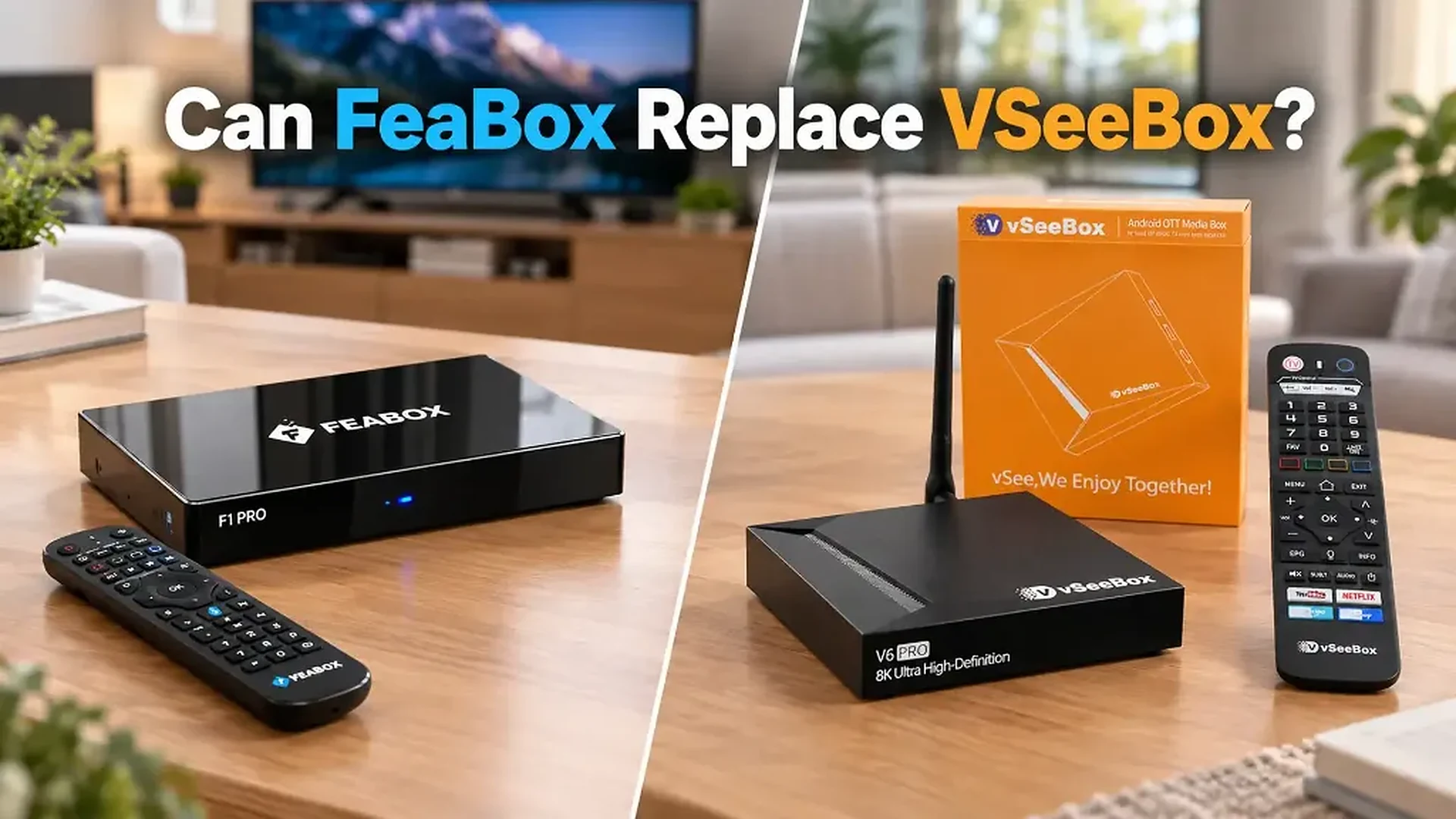

Choosing a new TV box is not just about finding a device with plenty of channels or a familiar name. What matters more is whether the hardware, storage, connectivity, viewing features, and everyday experience actually match the way you use your TV.
If you are already considering a VSeeBox, it may be worth looking at a VSeeBox alternative before making the final decision. A familiar brand can certainly be appealing, but comparing the actual hardware, performance, storage, connectivity, and overall viewing experience may reveal other options that offer the features you need without simply paying for the name.
That is why it makes sense to look beyond the most familiar choices and compare what newer TV boxes actually bring to the table. Here is what to consider when choosing a VSeeBox alternative – and the features that can make a real difference in everyday use.
Why look for a vSeebox alternative before you buy?
If you have already searched for a TV box, chances are you have seen VSeeBox mentioned more than once. It is a familiar name, and familiarity can make the buying decision feel easy. You find a model you like, check the price, and you are ready to order. But that is also where it can pay to slow down for a moment.
A TV box is something you may use every day for years, so the better question is not simply whether a particular device is popular. It is whether the hardware, storage, connectivity, remote, and viewing features actually fit your household. If another device offers the features you want in a package that makes more sense for your needs, why not look at it before making the purchase?
That is where a vseebox alternative becomes interesting. You do not have to be unhappy with VSeeBox to consider something else. You may simply want to know what your other options are before spending your money. And one of those options is a relatively new name: FeaBox. Before making a decision, you can also compare FeaBox and VSeeBox side by side to see how their features differ.
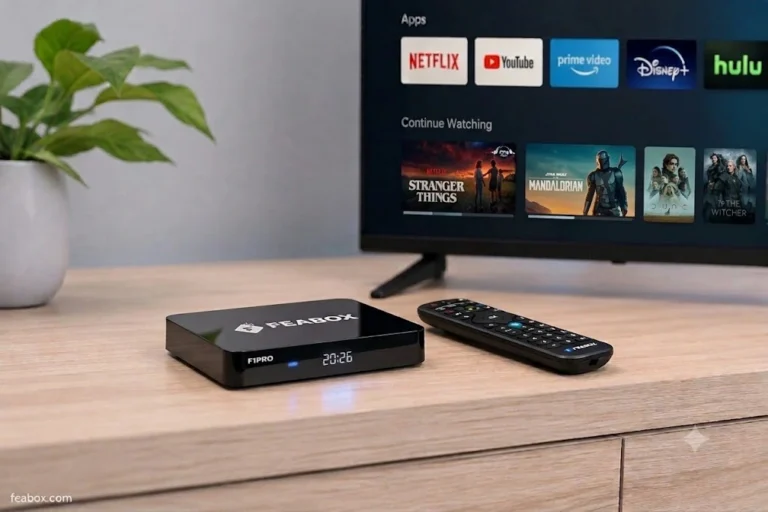
Meet FeaBox F1 Pro and F1 Max
FeaBox: One of the leading TV box supplier in the US, is introducing two new models to its home entertainment lineup: the F1 Pro and F1 Max. Rather than creating two completely different products, FeaBox has taken a simpler approach. Both models share the same core platform, while the main difference is storage capacity.
The F1 Pro comes with 32GB of internal eMMC storage, while the F1 Max doubles that to 64GB. Both models feature Android 12, 4GB DDR3 RAM, a quad-core ARM Cortex-A53 processor, Wi-Fi 6, Bluetooth voice control, a backlit remote, and support for video playback up to 6K at 60fps according to FeaBox’s published specifications. They also include features such as recording, multi-screen, Picture-in-Picture, parental controls, and Extended Time-Shift. You can also explore the FeaBox F1 Pro features in more detail.
That makes the choice surprisingly straightforward. If you want a capable everyday setup without needing a huge amount of internal storage, the F1 Pro gives you the 32GB configuration. If you would rather have more space from the beginning and not worry as much about storage later, the F1 Max gives you 64GB.
And suddenly, the question is no longer simply “Which VSeeBox should I buy?” It becomes “Is FeaBox actually a better fit for the way I use my TV?”
What to Look for in a VSeeBox Alternative
Before looking at another specification chart, think about what you expect from your TV box after it arrives at your home. A good device should not only look impressive on paper; it should make the everyday experience feel easier.
Storage is a good example. Most people do not think much about storage when they first buy a TV box. You install a few applications, sign in, and start watching. But as you add more apps and downloads over time, available space becomes something you notice. This is why having the choice between 32GB and 64GB can be more useful than it initially sounds.
Connectivity is another consideration. Both FeaBox models support dual-band Wi-Fi 6, along with Ethernet connectivity, giving you flexibility when deciding how to connect the box to your home network. If your router supports Wi-Fi 6, you can take advantage of the newer wireless standard; if you prefer a wired connection, Ethernet is available as another option.
Then there is the part that specifications cannot fully describe: usability. A box can have plenty of processing power, but if the interface is frustrating or the remote is inconvenient, you will notice that every time you sit down to watch something. FeaBox’s Bluetooth voice remote includes a backlit design, which is a small feature but one that can be genuinely useful when you are sitting in a dark living room.
F1 Pro or F1 Max: Which One Should You Buy?
This is where FeaBox’s approach becomes particularly easy to understand. You are not choosing between two completely different generations of hardware. Both models are built around the same core platform, so the main decision is how much storage you want.
| Feature | FeaBox F1 Pro | FeaBox F1 Max |
|---|---|---|
| Operating System | Android 12 | Android 12 |
| RAM | 4GB DDR3 | 4GB DDR3 |
| Processor | Quad-core ARM Cortex-A53 | Quad-core ARM Cortex-A53 |
| Storage | 32GB eMMC | 64GB eMMC |
| Wi-Fi | Wi-Fi 6 | Wi-Fi 6 |
| Video Playback | Up to 6K@60fps | Up to 6K@60fps |
| Voice Remote | Yes | Yes |
| Backlit Remote | Yes | Yes |
| Recording | Yes | Yes |
| Extended Time-Shift | Yes | Yes |
| Multi-Screen | Yes | Yes |
The F1 Pro makes sense if you want the core FeaBox experience and expect your storage requirements to remain relatively moderate. The F1 Max, meanwhile, is the natural step up if you know you prefer having more room for applications, downloads, and other content. Looking at the FeaBox F1 Pro specs can also help you decide which storage option fits your needs.
In other words, you do not necessarily need to buy the more expensive or higher-capacity model just because it exists. But if you have ever had to delete apps or manage storage on a TV box, the extra capacity of the F1 Max may be the kind of upgrade you appreciate later.
The Feature You May Appreciate After the Purchase
One of the easiest mistakes when buying a TV box is focusing too heavily on what looks impressive before purchase and not enough on what will actually be useful six months later.
Time-shift is a good example. FeaBox’s F1 Pro and F1 Max support Extended Time-Shift functionality, including up to seven days of playback for eligible content according to the company. The devices also support recording, giving users another way to revisit content instead of being tied to a particular viewing time.
Think about the number of times you have started watching something live only to get interrupted. Someone calls. Dinner is ready. You have to leave the house. Or you simply arrive home after the program has already started. Features such as time-shift and recording are designed around exactly these everyday situations.
That is why they can be more meaningful than another specification that you may never notice while sitting on the couch.
What About Streaming and App Flexibility?
Another reason people consider a vseebox alternative is flexibility. The ideal TV box should fit around your entertainment habits rather than force you into one rigid way of watching.
FeaBox runs Android 12 and supports Google Play Store applications, allowing users to install compatible apps and build an entertainment setup around their own preferences. This makes the device more than a simple playback box; it can function as a flexible Android-based entertainment hub for the living room.
Of course, application availability and subscription requirements are determined by the individual services you choose to use. The important point is that the underlying Android platform gives you room to customize the device rather than locking the entire experience into one fixed configuration.
Is the F1 Max Worth Choosing Over the F1 Pro?
If you are already leaning toward FeaBox, this is probably the decision that matters most.
The F1 Pro gives you 32GB of storage, while the F1 Max gives you 64GB. Both use the same 4GB DDR3 RAM, Android 12 platform, Wi-Fi 6 connectivity, and core entertainment features.
For a lighter user who mainly wants streaming apps and does not expect to keep a large amount of content locally, the F1 Pro may be the more straightforward choice. But if you are the type of person who installs a lot of apps, likes having additional room, or simply prefers not having to think about storage later, the F1 Max gives you twice the internal capacity.
There is no need to overcomplicate it. Think about how you use your current TV box. If storage has never been an issue, 32GB may be perfectly reasonable. If you have ever found yourself checking free space or removing things you still wanted, 64GB starts to look much more attractive.
Why Consider FeaBox Before Buying VSeeBox?
The goal here is not to tell every VSeeBox shopper that they need to change their decision. If VSeeBox already matches everything you want, you may be perfectly happy with it.
But that is exactly why looking at an alternative before buying can be useful.
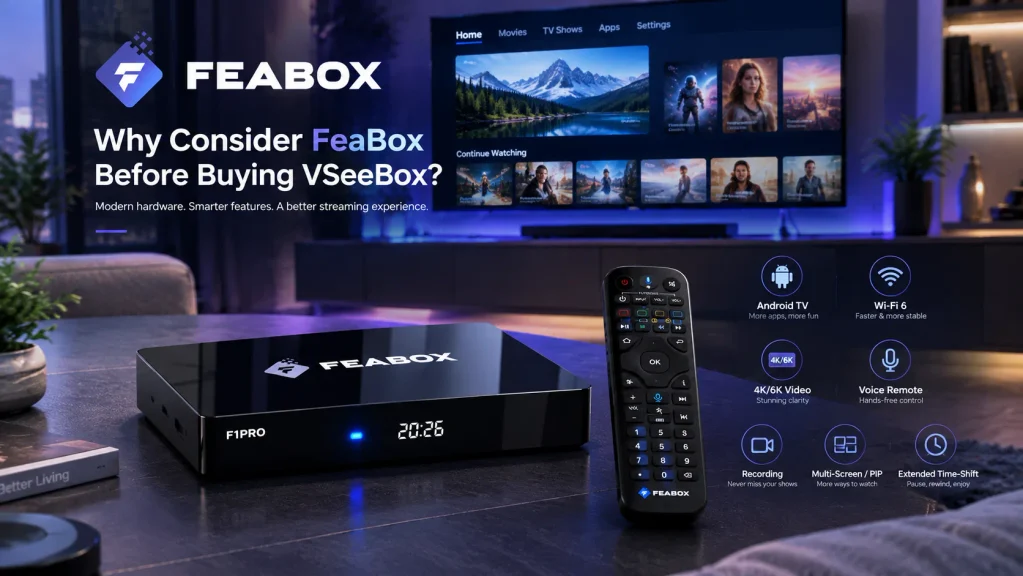
You may discover that another product gives you the features you care about without adding things you do not need. You may find a model with more storage flexibility. You may prefer the remote, interface, or additional viewing features. Or you may simply like having another option from a newer brand rather than automatically choosing the name you have seen most often.
FeaBox’s F1 Pro and F1 Max are particularly easy to compare because their lineup is simple: the same core experience, with 32GB or 64GB of storage. That makes it easier to decide based on your actual needs rather than getting lost in a dozen model names.
For readers comparing several devices before buying, fully loaded TV box comparison can help put FeaBox alongside other options and give you a wider view of what is available.
A Buying Checklist Before You Order
Before you click the Buy button, take a minute to think about your actual setup. Start with the applications you use most often and consider how many you expect to install. Then look at storage. If you want a straightforward setup, 32GB may be enough; if you prefer more flexibility, 64GB gives you additional room.
Next, look at your home network. If you already have a Wi-Fi 6 router, FeaBox’s Wi-Fi 6 support is relevant. If the TV is located close to your router or you simply prefer a wired connection, Ethernet provides another option.
Then think about the features you will actually use. If you regularly watch live content, Extended Time-Shift and recording may be worth paying attention to. If your family shares the TV, voice control, parental controls, and a backlit remote may matter more than raw specifications.
Finally, look at support and warranty before buying. A TV box is not just a piece of hardware; it becomes part of your everyday entertainment setup. Knowing where to go for help if you have a question is something worth considering alongside the hardware itself.
FeaBox vs VseeBox: Compare Before You Decide
At this point, the most useful comparison is not simply FeaBox versus VSeeBox as brands. It is model versus model. Look at the exact VSeeBox model you are considering and compare it with the F1 Pro or F1 Max. Check the operating system, RAM, storage, network connectivity, video support, remote, recording capabilities, time-shift, and other features you actually expect to use.
The F1 Pro and F1 Max give FeaBox a straightforward starting point: both models share the same core hardware and feature set, with 32GB versus 64GB being the key storage difference. This makes it relatively easy to identify which model fits your needs.
If you want to see that comparison in more detail before making a buying decision, FeaBox vs VseeBox is the next guide worth reading.
Who Is FeaBox For?
FeaBox is particularly interesting for shoppers who have already decided they want an Android-based streaming box but are not convinced that they should automatically buy the most familiar option.
The F1 Pro can suit users looking for a capable everyday TV box with 32GB of storage, while the F1 Max gives users who want more room a 64GB configuration. Both models bring the same core platform, including Android 12, 4GB RAM, Wi-Fi 6, voice control, high-resolution playback, recording, and Extended Time-Shift.
For someone currently researching a vseebox alternative, that makes FeaBox worth putting on the shortlist rather than dismissing it simply because it is a newer name.
Sometimes the most useful thing you can do before buying a familiar product is spend five more minutes finding out what else is available.
FAQ
The F1 Pro and F1 Max are FeaBox’s new Android streaming box models. They share the same core platform and features, including Android 12, 4GB DDR3 RAM, Wi-Fi 6, voice control, recording, Extended Time-Shift, and support for high-resolution video playback.
The main difference is storage. The F1 Pro provides 32GB of eMMC storage, while the F1 Max provides 64GB. Both models share the same core hardware platform and main entertainment features.
If you expect moderate storage needs and mainly want the core FeaBox experience, the F1 Pro provides 32GB of storage. If you prefer having more space for applications and downloads, the F1 Max provides 64GB.
Yes. Both the F1 Pro and F1 Max support dual-band Wi-Fi 6 as well as Ethernet connectivity for wired network setups.
Yes. FeaBox lists recording functionality for both the F1 Pro and F1 Max, along with Extended Time-Shift functionality for revisiting eligible live content.
Yes. Both models include a Bluetooth voice remote with a backlit design
According to FeaBox’s official information, the device itself does not require a mandatory monthly subscription fee. Individual third-party applications may have their own subscription requirements.
Final Thoughts
The interesting thing about searching for a vseebox alternative is that you do not have to start with the assumption that something is wrong with VSeeBox. You simply have to ask whether it is still the only option worth considering.
The new FeaBox F1 Pro and F1 Max make that question a little more interesting. Both models combine Android 12, 4GB RAM, Wi-Fi 6, voice control, high-resolution video support, recording, and Extended Time-Shift, while the F1 Pro offers 32GB of storage and the F1 Max doubles that to 64GB.
So before you settle on the first TV box that catches your attention, take another look at what is available. You might find that the alternative you were not originally searching for is actually the one that fits your living room, your viewing habits, and your budget more naturally.
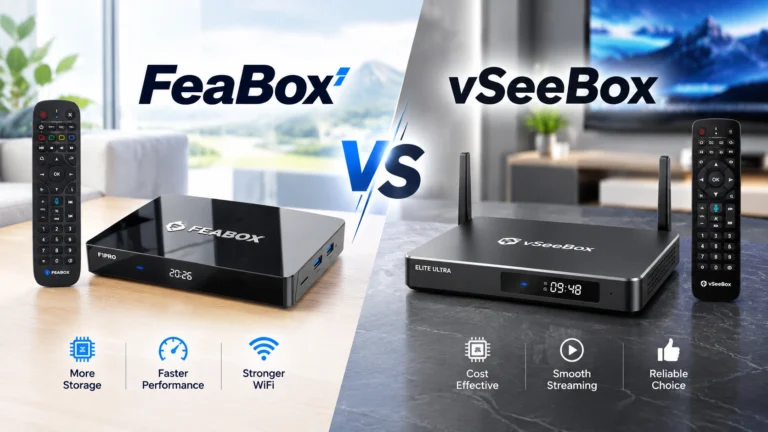

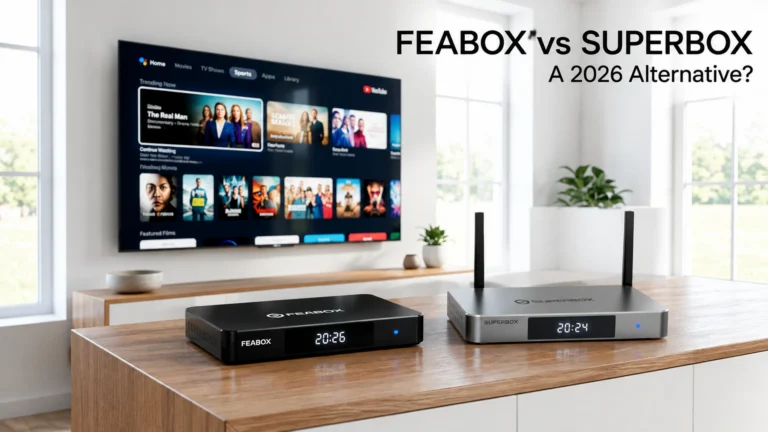
[…] users exploring a vSeeBox alternative, these factors can make it easier to compare different streaming boxes. Instead of focusing only on […]
[…] and Gigabit Ethernet at a much fairer price point, FeaBox has quickly become a top-rated vseebox alternative for families wanting premium stability without the $400 […]
[…] and Gigabit Ethernet at a much fairer price point, FeaBox has quickly become a top-rated vseebox alternative for families wanting premium stability without the $400 […]