
Looking for a SuperBox alternative usually means you want to compare your options before buying a new streaming TV box. Maybe your current device feels outdated, you want newer hardware, or you simply want more flexibility from your home entertainment setup.
There are more Android TV boxes available today than ever before. However, choosing one is not just about finding the device with the biggest storage number or the longest feature list. You need to consider how the box fits your TV, internet connection, streaming habits, and everyday use.
That is where FeaBox comes into the picture. Instead of choosing a device based only on brand recognition, you can compare the hardware, software, connectivity, and features that actually matter to you.
What Should You Look for in an Android TV Box?
Before comparing specific brands, it helps to understand what actually matters in a streaming box.
A good device should match the way you use your TV. For example, someone who mainly watches a few streaming apps may not need the same hardware as a household that frequently switches between apps, watches high-resolution content, or uses the box for several types of entertainment.
Here are some of the main factors to consider:
| What to Compare | Why It Matters |
|---|---|
| Processor | Affects navigation, app loading, and overall responsiveness |
| RAM | Helps when running and switching between apps |
| Storage | Provides space for apps and other data |
| Operating System | Determines the software environment and available apps |
| Video Support | Matters if you use a 4K or higher-resolution TV |
| Wi-Fi & Connectivity | Can affect streaming stability and device connections |
| App Compatibility | Ensures the services you use work with the device |
| User Interface | Makes everyday navigation easier or harder |
| Model Options | Lets you choose hardware that fits your needs |
| Support | Can be important when setting up or troubleshooting the device |
So, rather than asking which TV box has the most features, start by asking a simpler question: What do you actually need your TV box to do?
Why Consider a Different TV Box?
You do not necessarily need to replace a working device. If your current TV box runs the apps you use, responds quickly enough, and gives you the viewing experience you want, there may be little reason to change it.
However, your needs can change. Your existing device may feel slower than it used to. You may want newer hardware, more storage, better connectivity, or a different software environment. Alternatively, you may simply be buying your first TV box and want to understand your options before spending money.
In these situations, comparing different Android TV boxes can help you see what is actually available. This is also why people searching for a SuperBox alternative may want to look beyond one specific brand. The goal is not necessarily to replace one product with an identical one. It is to find a device that matches your own requirements.
What Makes FeaBox Worth Considering?
FeaBox TV box is a newer option in the Android TV box market, offering devices designed for users who want a flexible home entertainment setup. Instead of focusing only on one model, FeaBox offers different configurations so buyers can choose according to their needs.
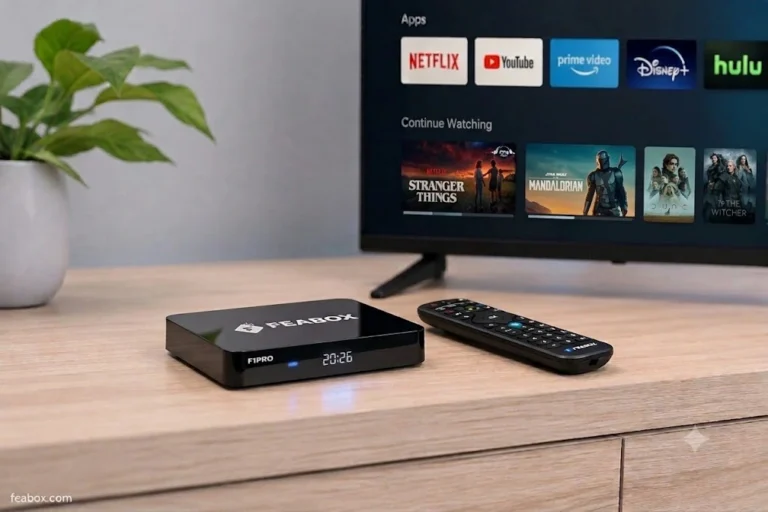
The current lineup includes the FeaBox F1 Pro and FeaBox F1 Max. The F1 Pro is aimed at everyday home entertainment, while the F1 Max provides a higher-end hardware configuration for users who want more from their device.
This gives buyers another option to consider when comparing Android TV boxes. The important point is not simply that FeaBox is newer. What matters is whether the hardware and software match the way you plan to use the device.
FeaBox vs Other Streaming TV Boxes: What Should You Compare?
When comparing FeaBox TV box with another TV box, look beyond the brand name. Start with the exact models you are considering. Then compare their processor, RAM, storage, operating system, video capabilities, wireless connectivity, app compatibility, and other features that affect everyday us.
For example, more storage may be useful if you plan to install many apps. More RAM can be helpful when switching between applications. Likewise, newer wireless technology may matter if your home network supports it. A fully loaded TV box comparison can also be useful, but only if you look at what each device actually provides rather than simply counting features.
The same principle applies to FeaBox. Instead of asking, “Which brand has more features?”, ask: “Which device has the features that I will actually use?”
Meet the FeaBox F1 Pro and F1 Max
FeaBox currently offers two main models: the F1 Pro and F1 Max, giving buyers the flexibility to choose a configuration that better matches their viewing habits and entertainment setup. Instead of putting every user into the same hardware package, the two models provide different levels of capability, making it easier to choose based on how you actually use your TV box.
FeaBox F1 Pro
The FeaBox F1 Pro Android TV box is designed for everyday Android-based TV use and home entertainment. It can be a practical choice for viewers who want a dedicated streaming box for accessing their entertainment setup without necessarily moving to the highest configuration available. For users who primarily watch their regular streaming content, browse apps, and use their TV for day-to-day entertainment, the F1 Pro offers a straightforward way to upgrade the viewing experience.
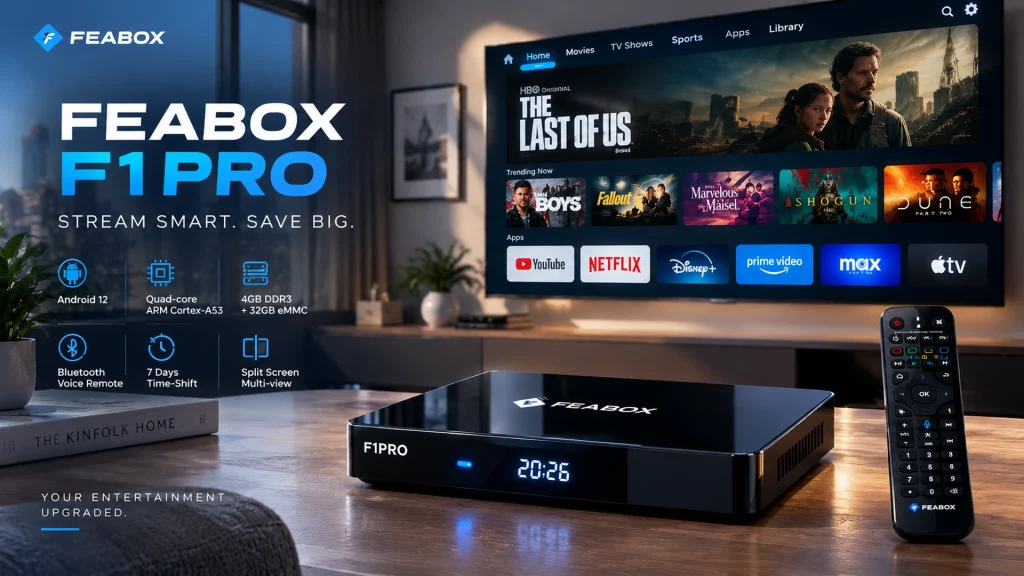
Its positioning also makes it suitable for buyers who want to keep their setup simple while still having a dedicated TV box rather than relying entirely on the built-in software of their television. If your viewing habits are relatively straightforward and you do not need the additional hardware capability of a higher-tier model, the F1 Pro may fit that type of setup well.
FeaBox F1 Max
The F1 Max sits higher in the FeaBox lineup and is positioned as the more advanced option for users who want additional hardware capability. It provides another configuration for buyers who expect more from their TV box, whether that means handling a broader range of apps, switching between applications more frequently, or having additional capacity for their entertainment setup.
Rather than simply being a larger or more expensive version of the F1 Pro, the FeaBox F1 Max streaming box gives buyers another hardware level to consider. This makes it particularly relevant for users who know they want more headroom from their TV box and would rather choose a more capable configuration from the beginning.
What bout Streaming and Entertainment?
A TV box is ultimately a tool for making your television more flexible. However, the device itself is only one part of the streaming experience. Your internet connection also matters. A weak or unstable connection can cause buffering regardless of how capable the hardware is. Your TV matters too. If you have a 4K television, check that the device supports the resolution you want to use. You should also check the available ports and make sure they work with your existing setup.
App compatibility is another important consideration. Different operating systems and regions can affect which apps are available and how they work.
Therefore, before buying any Android TV box, make a quick checklist:
- What do you normally watch?
- Which apps do you use?
- What resolution does your TV support?
- How fast and stable is your internet?
- How much storage do you need?
- Do you need to switch between several apps?
- Do you want a simple setup or more flexibility?
These questions can tell you more about the right device than a long feature list.
What If You Already Own Another TV Box?
You do not have to upgrade simply because a newer model exists. If your current box still works well, there may be no immediate reason to replace it.
However, upgrading can make sense when your current device no longer meets your needs. For example, you may be dealing with slower navigation, limited storage, outdated hardware, or software that no longer fits the way you use your TV.
In that situation, comparing newer devices such as the FeaBox F1 Pro and F1 Max can help you understand what has changed and whether an upgrade would actually benefit you. The same approach applies if you currently own a SuperBox. You can compare your existing device with newer options without assuming that you have to replace it.
What If This Is Your First Fully Loaded TV Box?
If you have never bought a TV box before, product descriptions can quickly become confusing. Terms such as Android TV box, streaming box, 4K, and fully loaded TV box are often used together, but they do not all mean the same thing.
At its simplest, a TV box connects to your television and provides a separate software environment for accessing compatible apps and entertainment services.
The experience you get depends on several things:
- The hardware inside the box
- The operating system
- Supported apps
- Your internet connection
- Your television
- The services and accounts you use
That is why buying based on one specification alone can be misleading. For example, 4K support is useful only if your TV, content, and setup can take advantage of it. Similarly, having more storage does not automatically mean you will have a better experience if you rarely install additional apps.
How to Choose the Right Android TV Box
Once you understand what you actually need, choosing becomes much easier.
Check Your TV
Start with the television itself.
Check its resolution, available HDMI ports, and whether it works with the connection requirements of the TV box you are considering.
Think About Your Streaming Habits
Consider what you watch and how you use your TV.
Someone who watches a few apps every evening may have different requirements from a household with several users and multiple streaming habits.
Compare the Hardware
Look at the processor, RAM, and storage rather than focusing only on the product name.
These specifications can give you a better idea of what to expect from everyday use.
Check Software and App Compatibility
Make sure the device supports the apps and services you actually plan to use.
This is especially important because availability can vary depending on the operating system, region, and service provider.
Consider Connectivity
Wi-Fi performance, Ethernet availability, Bluetooth, and other connection options can all affect how the device fits into your home setup.
Compare the Exact Models
Finally, compare the specific models you are considering.
A brand can offer several products with different hardware configurations, so comparing brands alone may not tell you enough.
Who Should Consider FeaBox?
FeaBox may be worth considering if you are looking for a new Android TV box and want another option beyond the most familiar brands.
It can also be relevant if you:
- Are buying your first dedicated TV box
- Want newer hardware
- Need more flexibility from your TV setup
- Are replacing an older streaming device
- Want to compare different hardware configurations
- Are researching a SuperBox alternative before buying
The important thing is to start with your needs.
If you need a simple device for everyday streaming, focus on the hardware and apps you actually require. If you want more capability, compare the specifications of the available models and decide whether the additional hardware is useful to you.
Is FeaBox the Right Choice for Your Setup?
There is no single TV box that makes sense for every household. Your choice depends on your television, internet connection, streaming habits, preferred apps, and budget.
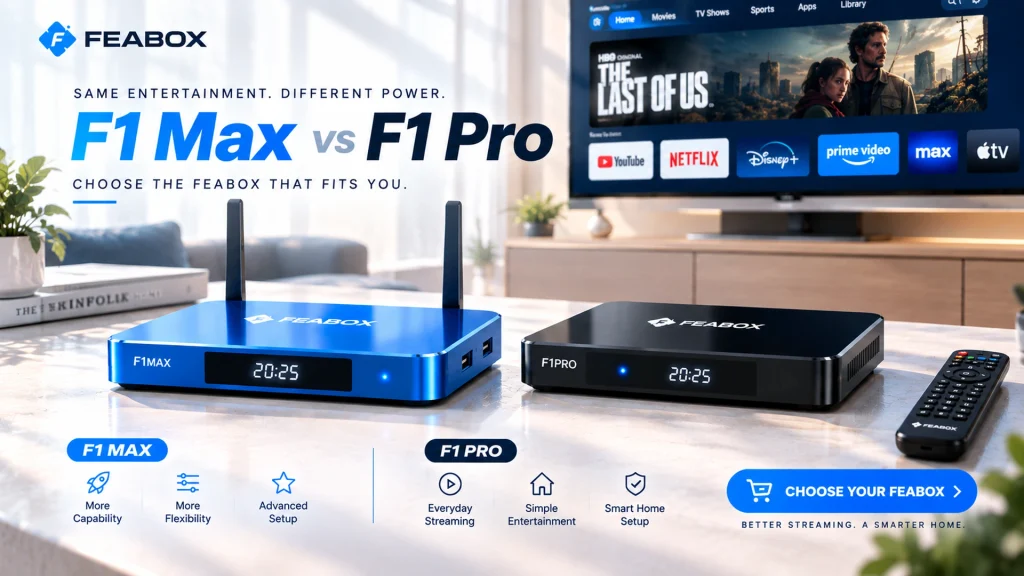
If you are researching a SuperBox alternative, the FeaBox TV box lineup gives you another product option to compare. The F1 Pro and F1 Max provide different hardware configurations, allowing you to look at the specifications that matter to your particular setup.
Rather than choosing a device simply because it has a familiar name, compare the things that will affect your everyday experience. That means looking at hardware, software, connectivity, app compatibility, and overall usability. For more information about FeaBox models and specifications, you can visit the official Offcial FeaBox site.
Frequently Asked Questions
People may compare alternatives when buying a new TV box, replacing an older device, looking for different hardware, or simply wanting to understand what other options are available.
Both are TV box products, but the exact experience depends on the specific model, hardware configuration, software, and supported services. Comparing the exact models is more useful than comparing the brand names alone.
FeaBox offers Android-based TV box devices designed for home entertainment and streaming use.
The FeaBox lineup includes the F1 Pro and F1 Max, which offer different hardware configurations for different types of users.
Not necessarily. If your current device works well for your needs, there may be no reason to replace it. However, if you want newer hardware or a different setup, comparing FeaBox with your current device can help you decide.
Look at the processor, RAM, storage, operating system, video support, connectivity, app compatibility, user interface, and support. Most importantly, compare those features with how you actually use your TV.
No. You can research alternatives even if you have nothing against SuperBox. Comparing several products is simply a way to understand your options before buying.
Final Thoughts
Finding a SuperBox alternative does not have to mean finding an identical product from another brand. The more useful approach is to step back and ask what you actually need from your TV box.
Do you want newer hardware? More storage? A different Android environment? Better flexibility? Or are you simply buying your first streaming box and trying to understand your options? Once you know what matters to you, comparing devices becomes much easier.
FeaBox TV box gives you another option to consider, with the F1 Pro and F1 Max offering different hardware configurations for different types of users. The goal is not to choose a TV box because it has the biggest feature list. It is to find one that fits your TV, your viewing habits, and the way you actually use your entertainment setup.