
A cheaper streaming plan can look like an easy way to cut your monthly entertainment bill. But when comparing lower price on-demand streaming services restrictions, you may find that paying less often means accepting more ads, reduced video quality, download limits, device restrictions, or fewer features than you would get with a premium tier.
That does not mean cheaper plans are a bad deal. For some households, these restrictions barely matter, especially if you only watch occasionally or do not need every premium feature. The important question is whether the lower price actually fits the way you watch TV—and whether the features you give up are worth the money you save.
Why Are Streaming Services Offering Cheaper Plans?
Streaming services have increasingly moved toward multiple pricing tiers instead of offering one plan to everyone. The idea is fairly simple: viewers who want a lower monthly price can accept certain limitations, while people who want fewer ads, higher video quality, downloads, or more simultaneous streams can pay for a higher tier.
For viewers trying to control rising entertainment costs, this can be useful. You do not necessarily need every premium feature if you only watch occasionally or mainly use one TV. But comparing monthly prices alone can be misleading. A plan that costs less may not be the better value if you regularly use one of the features it restricts.
If you’re trying to understand why streaming has become more expensive overall and what alternatives are available, see our guide to rising streaming costs and alternatives.
What Restrictions Can Come With a Lower-Priced Streaming Plan?
The exact restrictions depend on the service and the plan, so you should always check the current details before subscribing. However, several limitations are common across lower-priced tiers.
Advertisements
The most obvious trade-off is advertising. Some lower-cost plans include commercial breaks while more expensive plans offer fewer ads or an ad-free experience.
For occasional viewers, this may be an easy compromise. If you only watch a couple of episodes a week, saving money may matter more than skipping a few ads. But if your household watches several hours of streaming every day, those interruptions can become much more noticeable.
The key question is not simply whether the plan has ads. It is whether the lower monthly price is worth the extra interruptions for the way you actually watch.
Lower Video Quality
Another possible restriction is video quality. Some cheaper plans may limit the maximum resolution or provide fewer options for viewers with higher-end TVs and compatible content.
This may not be a problem if you have an older 1080p television or normally sit far enough away that the difference is difficult to notice. On a larger 4K screen, however, image quality may matter more.
Before paying extra for a premium tier, consider whether your TV, internet connection, and viewing habits actually make the higher quality worthwhile.
Download Restrictions
Downloads can be useful when you’re traveling, commuting, or watching somewhere with unreliable internet access. Lower-priced plans may limit or remove the ability to download content for offline viewing.
If you almost always stream at home, this restriction may not affect you at all. But if offline viewing is part of your routine, the cheaper plan may quickly become frustrating.
This is a good example of why the “best” streaming plan depends on your habits rather than simply its monthly price.
Fewer Supported Devices
Some plans can also have restrictions around supported devices or how content can be accessed. This matters more for households that watch on several TVs, phones, tablets, or other screens.
A single-person household with one main TV may never notice the difference. A family with multiple viewers can run into limitations much faster, especially when everyone wants to watch something different.
That is why it is worth checking device and simultaneous-streaming limits before deciding that a cheaper plan is automatically the better choice.
Content Restrictions
Pricing tiers can also differ in the content or features available to subscribers. The exact rules vary by service, so you should check the specific plan rather than assuming every lower-priced tier provides identical access.
This can be particularly frustrating when you choose a cheaper subscription because you only want to watch a few specific shows, only to discover that the plan does not offer everything you expected.
In other words, saving money only works if the plan still gives you access to the content you actually want.
Are Cheaper Streaming Plans Actually Worth It?
For many viewers, they can be. The trick is to compare the restrictions with your actual viewing habits instead of comparing the monthly price alone.
| Your viewing habits | Is a lower-priced plan likely to work? |
|---|---|
| You only watch occasionally | Often yes |
| You don’t mind advertisements | Often yes |
| You mainly watch on one TV | Often yes |
| Your TV is 1080p | Often yes |
| You frequently download content | Maybe not |
| Several people watch at the same time | Maybe not |
| You care about the highest available picture quality | Maybe not |
| You subscribe mainly for specific premium content | Compare carefully |
If the limitations do not affect you, paying less can make sense. But if you regularly use downloads, higher resolution, multiple streams, or other premium features, the more expensive plan may actually provide better value.
The Cheapest Subscription Isn’t Always the Cheapest Setup
There is another problem that is easy to overlook. You may save money by choosing a cheaper tier, but your total entertainment spending can still increase if you keep adding subscriptions.
Maybe one service has the shows you watch most often, another has a few movies your family likes, and a third is needed for a particular series. Each subscription may look affordable on its own. Together, however, they can become another significant monthly expense.
That is why it helps to look at your entire streaming setup rather than optimizing one subscription at a time.
Should You Rotate Streaming Subscriptions?
Before switching between subscriptions, it is also worth checking how each service handles free trials and automatic renewals. The Federal Trade Commission (FTC) recommends checking the terms of a subscription, knowing when a trial ends, and understanding how cancellation works before you sign up. Taking a few minutes to review those details can help prevent an inexpensive streaming plan from turning into another recurring charge you forgot about.
One way to reduce costs is to stop treating every subscription as a permanent monthly bill.
If you mainly subscribe to a service because of one show or a particular group of movies, you may not need to keep it active all year. You can watch what you want, cancel when you’re finished, and return later when there is something else worth watching.
This approach takes a little more planning, but it can make a noticeable difference over time. Instead of paying for five or six services every month, you may only keep the ones you’re actively using.
Of course, this works best for households that do not need constant access to specific services. Families with different viewing habits may find that keeping several subscriptions active is more convenient.
What About Free and Ad-Supported Streaming?
Free and ad-supported services are another option for viewers trying to reduce monthly costs. They can provide additional movies, shows, or live content without adding another paid subscription.
The trade-off is usually similar: you may have to accept advertising, a smaller content selection, or fewer premium features. But if your goal is simply to have more things to watch without increasing your monthly bills, free options can be useful.
A cheaper paid plan also does not have to be your only solution. A combination of one or two paid services and free ad-supported options may make more sense than subscribing to everything.
What If Your TV Is the Bigger Problem?
Streaming costs are not always the only source of frustration. Sometimes the problem is the TV itself.
An older Smart TV may still have a perfectly good screen but feel increasingly slow when opening apps or navigating menus. Some older TVs may also stop receiving software updates or lose compatibility with newer versions of streaming apps.
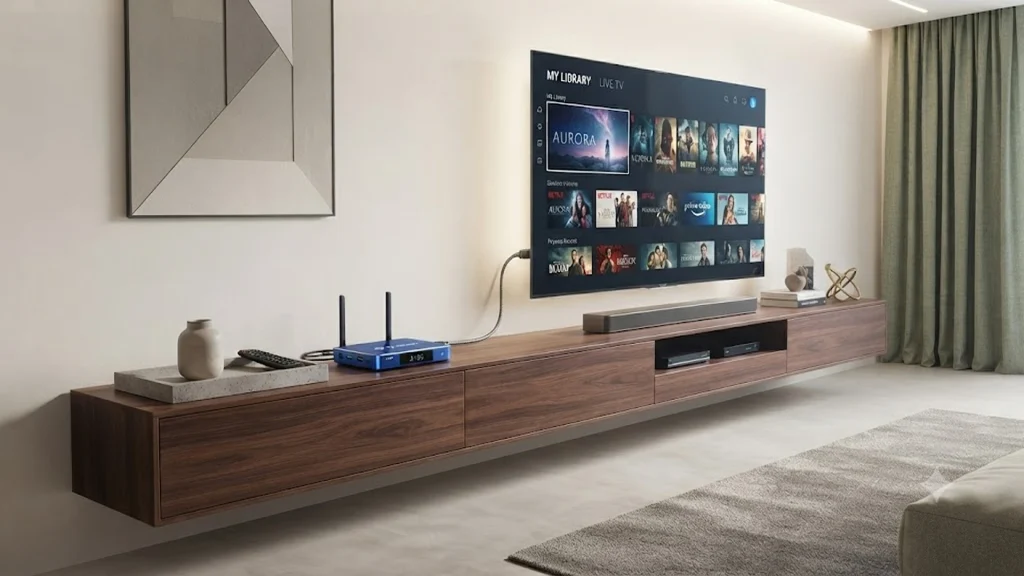
That creates an awkward situation. The screen still works, so replacing the entire TV feels unnecessary. But using the TV has become frustrating enough that you start thinking about buying a new one.
A streaming box can be another option. Instead of replacing the screen, you can connect an external device through HDMI and use it as the main interface for compatible streaming apps.
This does not magically improve every part of an old TV, and it does not change the restrictions imposed by individual streaming services. But it can make sense when the display itself is still good and the main problem is the TV’s software or built-in streaming experience.
Where Does FeaBox Fit?
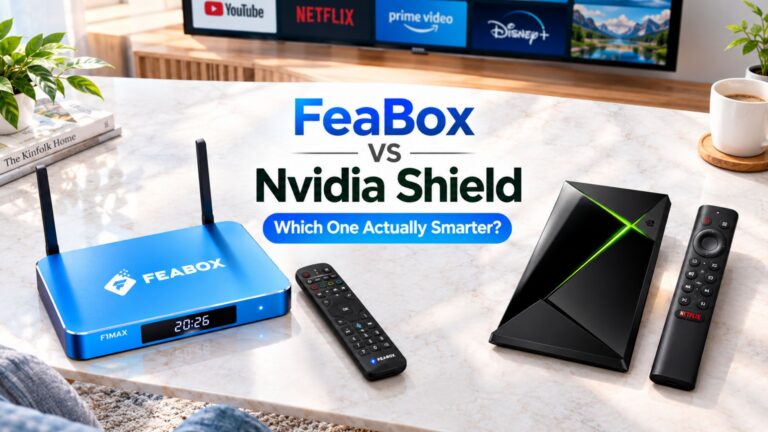
This is where a device such as FeaBox can make sense for certain households. It is not a way to bypass subscription restrictions or turn a paid streaming service into a cheaper one. Instead, it is a separate Android TV box that can provide an alternative way to access compatible apps on your TV.
For example, the FeaBox F1 Pro is designed for viewers who want an external streaming device rather than relying entirely on their TV’s built-in software. The FeaBox F1 Max is another option if you want more storage and a higher-spec configuration.
The important point is to choose the device based on what is actually causing your frustration. If your main problem is that a subscription costs too much, changing the streaming box will not solve that. But if your TV is aging, its software feels limiting, or you want a more flexible setup for compatible apps, an external Android TV box may be worth considering.
How to Choose the Right Lower-Cost Streaming Plan
Start with how you actually watch TV. If you only watch a few hours a week and do not care about advertisements, a lower-priced plan may be all you need. If you watch every day, download content regularly, or have several people using the same account, check the restrictions more carefully.
Your TV also matters. There is little reason to pay extra for a feature you cannot meaningfully use. On the other hand, if you have a large 4K TV and care about picture quality, choosing a cheaper plan with a resolution limitation may not be worth the savings.
It is also worth looking at how many subscriptions you currently pay for. Canceling one service you rarely use can save more money than downgrading every service to its cheapest tier. The goal is not to make every individual subscription as cheap as possible. The goal is to create a setup that gives your household the content it actually watches without paying for unnecessary extras.
A Simple Way to Compare Streaming Plans
| Factor | Lower-Priced Plan | Higher-Priced Plan |
|---|---|---|
| Monthly cost | Usually lower | Usually higher |
| Advertising | May be included | May be reduced or removed |
| Video quality | May be limited | May offer higher quality |
| Downloads | May be restricted | Often more flexible |
| Simultaneous streams | May be limited | May allow more |
| Best for | Occasional or budget-conscious viewers | Frequent or demanding viewers |
There is no universally better option. The right plan is the one where the restrictions do not interfere with how you use the service.
Can You Save Money Without Giving Up Streaming?
Yes, but it usually requires looking beyond the monthly price shown on a subscription page.
Start by reviewing every service you currently pay for. Ask yourself how often you actually use each one, whether you could rotate subscriptions, and whether a free or ad-supported alternative could cover some of your viewing.
Then look at your hardware. If your TV is still in good physical condition but its built-in software has become slow or difficult to use, an external streaming device may be a more practical upgrade than buying an entirely new television.
Frequently Asked Questions
They can be if the restrictions do not affect your viewing habits. Someone who watches occasionally and does not mind ads may get excellent value from a lower-priced plan, while a frequent viewer may prefer paying more for fewer limitations.
No. Pricing structures vary between streaming services and can change over time. Check the current plan details before subscribing rather than assuming every cheaper tier includes advertising.
It can. If you only want a service for a particular show or a limited period, canceling it when you are finished can reduce your total annual spending compared with keeping every subscription active all year.
No. FeaBox is a hardware device and does not remove pricing or feature restrictions imposed by streaming services. Its potential value is in providing another way to use compatible apps and upgrade the streaming experience on an existing TV.
In some situations, yes. If the screen itself is still working well but the built-in software has become slow or outdated, an external streaming device may extend the useful life of the TV. It will not fix problems with the display, HDMI ports, or other physical hardware.
Final Thoughts
Choosing a lower-priced streaming plan is not simply about finding the smallest number on the pricing page. Ads, video quality, downloads, device limits, simultaneous streams, and content availability can all affect whether a plan actually works for your household.
The same idea applies to your overall TV setup. You may be able to save money by rotating subscriptions, using free ad-supported services, removing subscriptions you rarely use, or choosing a lower tier that does not affect your viewing habits. And if your TV itself is becoming the frustrating part, an external streaming device can sometimes be a more practical upgrade than replacing the entire screen.
FeaBox is one option for viewers who want to change the way they use an existing TV, with models such as the F1 Pro and F1 Max offering different hardware configurations. But the right choice starts with the problem you’re actually trying to solve—not the device you’re thinking about buying.