
Wondering how to watch ESPN for free without signing up for another expensive subscription? ESPN provides some sports content at no cost, including selected clips, highlights, news, and analysis. However, most live ESPN networks and events require an eligible subscription or TV-provider access. Understanding what is free, where to check viewing options, and how to stream on your preferred device can help you find the right solution.
Can You Watch ESPN for Free?
Yes, you can watch some ESPN content for free, but access to the full range of live sports coverage is generally not free. ESPN offers selected video clips, highlights, sports news, and analysis without requiring a paid subscription. Access to live ESPN networks, events, and certain replays may require an eligible ESPN subscription or authentication through a participating TV provider.
The most important distinction is between free sports content and live broadcasts. If you want to catch up on scores, important plays, or sports news, free content may be enough. If you want to watch a particular game live, check its viewing requirements before assuming that the ESPN app or website will provide free access.
For more ways to explore sports content online, read our guide to free sports streaming, which covers free ad-supported platforms, official sports sources, and options for watching sports on your TV.
How to Watch ESPN for Free Legally
There are several ways to access ESPN-related content without immediately purchasing a new subscription. The right option depends on the type of content you want to watch, your existing TV service, and your location.
Watch Free Clips and Highlights on ESPN
ESPN provides selected video clips, highlights, news, and analysis through its digital platforms. These can be useful if you want to follow major sporting moments without watching an entire live broadcast. Depending on the event, you may find post-game highlights, interviews, commentary, and short video recaps.
Visit the official ESPN website or explore the ESPN app to see which videos are available without signing in to a paid account. Keep in mind that free clips do not guarantee access to full live games or complete replays.
Check Whether Your TV Provider Includes ESPN Access
If you already have a cable, satellite, or eligible streaming TV package, you may be able to use your provider credentials to access ESPN content online without purchasing another separate subscription. The exact access depends on your provider and the package you have.
To check, open the ESPN app or visit ESPN’s watch page, select the program you want to watch, and follow the instructions to sign in through your TV provider if prompted. Some content may remain unavailable if it is not included in your existing package.
Explore ESPN Content Included With Existing Services
Some eligible TV or streaming packages include access to ESPN content as part of their subscription. Depending on the provider and plan, you may be able to activate ESPN access through your existing account rather than paying for another standalone service.
Check your provider’s official plan details and activation instructions before subscribing separately. Do not assume that having a general streaming subscription automatically includes every ESPN channel or event. Access depends on the specific package and any activation requirements.
Check Official Free Content on Disney+
Depending on your location and subscription status, Disney+ may offer a selection of ESPN sports content. ESPN Select or ESPN Unlimited is required for broader access to the corresponding ESPN content, but Disney+ users without one of those plans may still have access to a limited selection.
This option is worth checking if you already use Disney+, but it should not be treated as a way to unlock every ESPN live event for free. Review the content available to your account and confirm whether the specific event you want is included.
Does the ESPN App Require a Subscription?
The ESPN app is a convenient place to explore sports news, highlights, video clips, and available streaming content. However, downloading the app does not automatically give you free access to every channel or live event.
ESPN’s current direct-to-consumer offering includes ESPN Select and ESPN Unlimited. These plans provide different levels of access, while some TV-provider packages may also include eligible ESPN content. The applicable requirements depend on the event, plan, and provider.
Before subscribing, compare the content included in each option and confirm whether it carries the sports you watch most often. If you only want highlights and occasional updates, free clips may be sufficient. If you regularly watch live games, you may need to consider an eligible paid plan or an existing TV package.
How to Watch ESPN on Your TV
Watching ESPN on a television can provide a more comfortable way to follow live games, replays, and sports analysis. Depending on your TV and the access method you choose, you may be able to use the ESPN app directly or access it through another supported streaming device.
Use the ESPN App on a Compatible Smart TV
If your smart TV supports the ESPN app, install it from the TV’s official app store and follow the sign-in instructions. You can browse available content and check whether the program you want requires a subscription or TV-provider authentication.
App availability and features vary by device and region. Before relying on your TV for an important game, make sure the app works correctly and that your account has access to the event.
Use a Compatible Streaming Device
If your TV does not support the ESPN app or has limited app options, a compatible streaming device may provide another way to access supported applications. FeaBox F1 Pro and FeaBox F1 Max are options to explore when comparing Android-based streaming devices for your home entertainment setup.
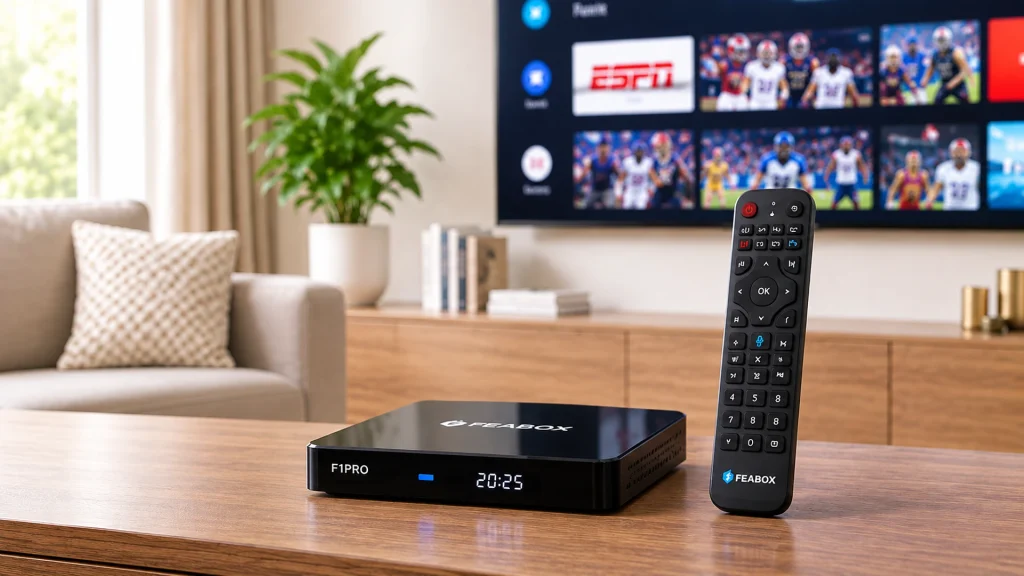
Before choosing a device, check its specifications and confirm that the applications you plan to use are supported. You should also verify the ESPN service’s account and subscription requirements. A streaming device can help you access compatible apps on your TV, but it does not automatically unlock paid ESPN channels or make live games free.
Visit the FeaBox: the leading IPTV seller to explore the available products and compare their features for your setup.
Prepare Your Internet Connection
A stable internet connection can help reduce buffering while watching sports online. Use reliable Wi-Fi or Ethernet if supported, keep your streaming device and apps updated, and test the setup before the event begins.
If playback is interrupted, check your connection and see whether other devices are using significant bandwidth. Remember that buffering can also be caused by the streaming service itself, so a faster connection does not guarantee uninterrupted viewing.
What Sports Can You Watch on ESPN?
ESPN covers a wide range of sports, including American football, basketball, baseball, hockey, tennis, golf, and other competitions. However, the availability of a particular sport or event depends on ESPN’s programming schedule, broadcasting rights, and the access plan you use.

If you follow American football, check which NFL games are available through ESPN and other authorized broadcasters. Our guide to free NFL streams free explains the difference between free football programming, replays, and access to live NFL games.
For viewers who follow multiple leagues, it can also be useful to compare different sports platforms rather than relying on one service for everything. Our guide to sport streams explains how to find suitable sources for different sports and check whether the content is available in your region.
Common Problems When Trying to Watch ESPN for Free
The Video Requires a Subscription
Some videos are available to everyone, while others require an ESPN subscription or an eligible TV-provider login. If a video prompts you to subscribe, check whether the same event or highlights are available through another official source. Do not assume that reinstalling the app will remove access restrictions.
Your TV Provider Is Not Recognized
If ESPN does not accept your TV-provider credentials, confirm that your provider participates in the relevant access program and that your package includes the content. Follow the official activation instructions or contact your provider if the problem continues.
The ESPN App Is Not Available on Your Device
Some devices may not support the ESPN app or may have different app availability by region. Check the official device compatibility information before purchasing additional hardware. If you use a streaming device, verify compatibility with both the ESPN app and your intended viewing service.
The Stream Keeps Buffering
Buffering can occur because of an unstable connection, network congestion, or technical issues with the streaming service. Restart the stream, check your network, and reduce video quality if the app provides that option. If the problem affects only one service, check whether that provider is experiencing an outage.
Final Thought
Learning how to watch ESPN for free starts with understanding which content is available without payment and which events require an eligible subscription. Official ESPN clips, highlights, and selected content included with existing services can help you follow sports without immediately adding another monthly bill. For live games, always confirm the access requirements and availability of the specific event.
If you prefer watching sports on a larger screen, check whether your smart TV supports the ESPN app or whether a compatible streaming device would be useful. Explore the FeaBox F1 Pro and F1 Max on the official FeaBox website, and choose a setup that fits your preferred apps and viewing habits. A suitable device can make streaming more convenient, while access to ESPN content remains subject to the service’s own requirements.
Frequently Asked Questions
You can watch selected ESPN clips, highlights, news, and analysis without a cable subscription. However, access to live ESPN networks and many events generally requires an eligible ESPN plan or another authorized form of access. Check the requirements for the specific program you want to watch.
The ESPN app is available to download, but downloading it does not provide unrestricted access to every live event or channel. Some content is free, while other programming requires an eligible subscription or TV-provider authentication.
Some viewers may have access through an eligible existing TV package or a broadcast arrangement that carries the event. However, there is no guarantee that a particular live ESPN game will be available for free. Check the official schedule and access requirements before the game begins.
Yes, if your TV supports the ESPN app and the service is available in your region. You may need to sign in with an ESPN account, an eligible subscription, or participating TV-provider credentials to watch certain programs.
No. A FeaBox streaming device can provide access to compatible applications, but it does not automatically unlock paid ESPN content. Access depends on the ESPN service, your account, the applicable subscription requirements, and regional availability
Free ESPN content includes selected clips, highlights, news, and analysis. ESPN Select and ESPN Unlimited are paid plans with different levels of access to ESPN programming and live sports. Check the official ESPN subscription information for current plan details. <Cite refs={[“turn736904search1″,”turn736904search2″,”turn736904search5”]}/>