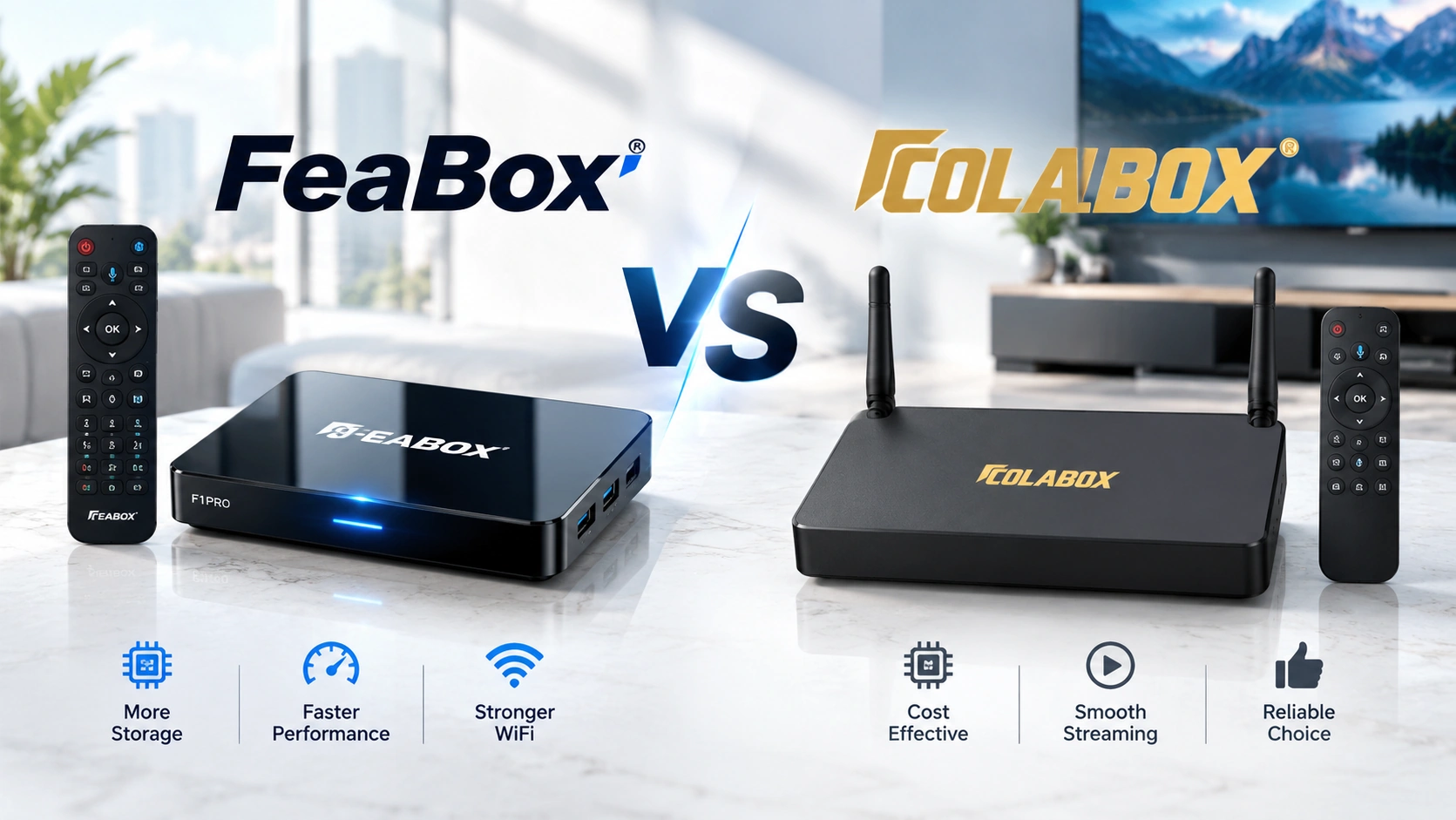

Choosing a new Android TV box is about more than simply comparing brand names or looking at a long list of specifications. Hardware performance, storage, connectivity, software, and everyday usability can all affect how well a device fits your home entertainment setup. For users who watch live TV, sports, movies, or use multiple apps, these details can make a real difference.
The FeaBox vs ColaBox comparison takes a closer look at these key areas, including the hardware, storage options, wireless connectivity, software experience, remote control, and viewing features. By looking at the differences as a whole, you can get a clearer idea of what each device offers and which features may better match your viewing habits.
What Should You Compare in a Streaming Box?
Before comparing two specific brands, it helps to understand what actually matters when choosing a streaming device. Specifications such as processor type and RAM are important, but they are only part of the overall experience. Storage, connectivity, software, remote usability, and additional viewing functions can all influence how practical a device feels after installation.
A streaming box is often used every day, so convenience matters just as much as raw specifications. A responsive interface can make switching between applications easier, while reliable Wi-Fi can reduce problems when streaming high-resolution content. Storage also becomes increasingly important as users install more applications and build larger content libraries.
For that reason, the FeaBox vs ColaBox comparison should be viewed as a complete buying guide rather than a simple specification checklist. If you want to understand the wider factors to consider when evaluating a fully loaded TV box, our fully loaded TV box comparison provides a broader overview of the features and capabilities worth checking before making a purchase.
Hardware and Processing Performance
The processor and memory configuration are among the first specifications worth examining because they influence how a streaming box handles everyday tasks. Opening applications, navigating menus, switching between services, and running multiple functions can all depend on the underlying hardware. A stronger configuration can also provide more flexibility as users install additional applications over time.
FeaBox currently offers the F1 Pro and F1 Max models. Both use a quad-core ARM Cortex-A53 processor and 4GB of memory, providing a hardware platform designed for everyday Android-based home entertainment. The two models run Android 12 and are designed around a straightforward TV experience rather than requiring users to navigate an overly complicated system.
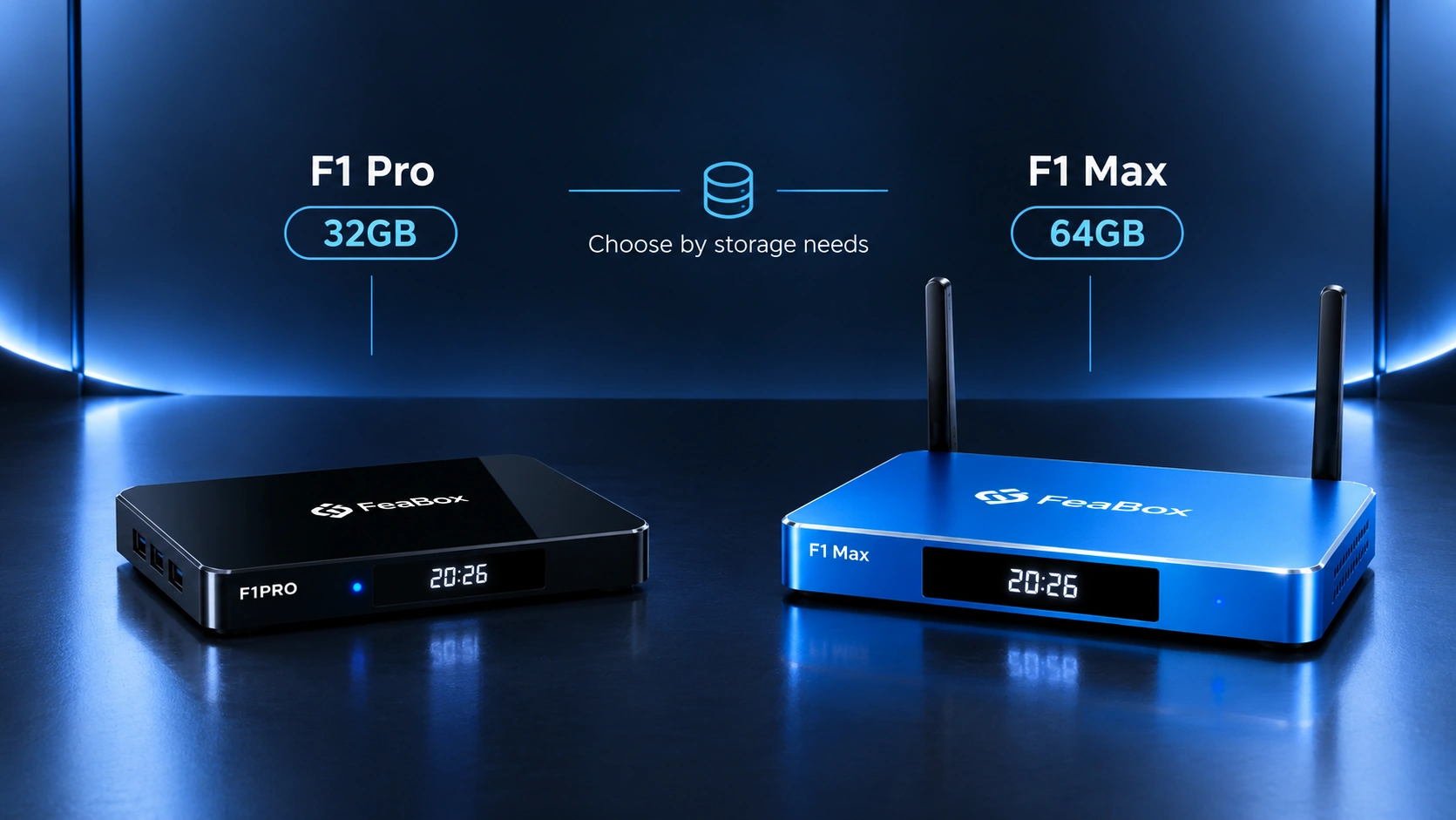
The F1 Pro includes 32GB of internal storage, while the F1 Max increases this capacity to 64GB. This gives FeaBox users the ability to choose between a more straightforward storage configuration and a model with additional room for applications and content.
ColaBox L2 Plus uses a quad-core ARM Cortex-A55 processor with 4GB of RAM and 64GB of internal storage. It runs Android 14 and supports 4K playback with HDR10+. From a specification perspective, the two products use different processor platforms and Android versions, so users comparing them should consider the complete configuration rather than judging performance from the processor name alone.
For everyday use, the important question is not simply which specification looks higher. Consider how many applications you plan to install, how frequently you switch between them, and whether your household expects to use the box for several types of entertainment. These usage patterns can help determine which hardware configuration makes sense for you.
Storage and Everyday Use
Storage is easy to overlook when buying a streaming box, particularly if you mainly think about watching content online. However, the amount of internal storage can become important once you start installing more applications, saving content, or using additional services.
The FeaBox F1 Pro provides 32GB of internal storage, making it a practical option for users who primarily need a straightforward Android TV box for everyday entertainment. The F1 Max increases the capacity to 64GB, providing additional space for users who expect to install more applications or maintain a larger collection of content.
This difference gives the two FeaBox models a clear purpose. The F1 Pro can make sense for users who do not need extensive internal storage, while the F1 Max gives heavier users more room to work with without immediately having to think about storage limitations.
ColaBox L2 Plus also provides 64GB of internal storage and includes a TF card slot for expandable storage. This gives users another option when additional storage is required. In a direct FeaBox vs ColaBox comparison, storage therefore depends partly on which FeaBox model is being considered.
If you are comparing the F1 Pro with the ColaBox L2 Plus, the internal storage difference is more noticeable. If you compare the F1 Max with the ColaBox L2 Plus, both provide 64GB, so other factors such as connectivity, software, remote control, and additional features become more relevant.
Connectivity and Home Entertainment Setup
Connectivity can have a major impact on how easily a streaming box fits into your existing entertainment system. A modern TV setup may include more than just a television. Some households also connect sound systems, wired networks, external storage devices, and other accessories.
FeaBox F1 Pro streaming box and Feabox F1 Max support dual-band Wi-Fi 6 and Gigabit Ethernet. They also provide HDMI, USB, AV output, optical audio, and other connection options designed to support different home entertainment configurations.
Wi-Fi 6 can be particularly useful for households with newer routers and multiple connected devices. While your actual streaming experience will still depend on your internet connection and network environment, having a newer wireless standard gives the device a strong connectivity foundation.
ColaBox L2 Plus supports dual-band Wi-Fi 5 and Gigabit Ethernet. It also includes HDMI, USB ports, optical audio, AV output, and a TF card slot. This means both products provide a range of physical connections, although their wireless standards differ.
For the FeaBox vs ColaBox comparison, this is an area where your home network should be part of the decision. If you already have a Wi-Fi 6 router and want your TV box to fit into that newer wireless environment, the FeaBox models provide Wi-Fi 6 support. If expandable storage through a TF card is more important to your setup, the ColaBox L2 Plus provides that option.
Remote Control and Ease of Use
The remote is one of the most frequently used parts of a streaming box, yet many buyers overlook it when comparing products.. A powerful device can still feel inconvenient if navigating menus or searching for content requires too many steps.
FeaBox F1 Pro and F1 Max come with Bluetooth voice remotes. Voice control can make everyday interaction easier by allowing users to search for content, open applications, and perform common commands without manually navigating through every menu.
This can be especially useful in a household where different family members use the same television. Instead of relying entirely on traditional navigation, users can use voice commands for certain tasks and reduce the amount of time spent searching through menus.
ColaBox L2 Plus also includes a Bluetooth voice remote and adds programmable shortcut buttons. These buttons can provide quick access to selected functions or applications, depending on how the remote is configured.
There is no single remote design that will suit every user. Some people may prefer simple voice control, while others may value dedicated shortcut buttons. When comparing FeaBox vs ColaBox, remote usability is therefore worth considering alongside the larger hardware specifications.
Software and App Experience
The operating system plays an important role in how a streaming box feels over time. It affects the interface, application compatibility, settings, navigation, and general interaction with the device.
FeaBox F1 Pro and F1 Max run Android 12 and are designed around a straightforward Android-based home entertainment experience. The interface focuses on accessible navigation, allowing users to move between applications and settings without unnecessary complexity.
This approach can be useful for households where several people share the same TV box. Not every user wants to spend time learning a complicated interface. A clear layout can make everyday tasks such as opening an application, changing settings, or searching for content more approachable.
ColaBox L2 Plus runs Android 14 and provides access to Android applications. The newer Android version is one of the notable differences between the two products, although the importance of the operating system version depends on the applications and functions each user actually needs.
The FeaBox vs ColaBox comparison therefore should not be reduced to Android 12 versus Android 14. Software experience also includes navigation, application access, remote interaction, and how comfortable the interface feels during everyday use.
Live TV and Everyday Viewing Features
A modern streaming box can be used for much more than opening individual streaming applications. For users who watch live TV, sports, news, international programming, or other scheduled content, additional viewing functions can have a meaningful role in the overall experience.
FeaBox provides Extended Time Shift, allowing users to pause, rewind, and replay supported live programming. This feature comes in handy when you miss part of a program or want to replay something that just aired.

FeaBox also includes parental control functions. Parents can use these controls to manage selected channels and content with a PIN, adding another layer of control for households where children regularly use the TV box.
ColaBox L2 Plus also promotes replay functions and voice control through its remote. Its product information highlights access to live sports, news, movies, international content, and other entertainment categories.
These functions become particularly relevant when a TV box is used as a central entertainment device rather than simply as a way to access individual applications. If you regularly watch live programming, the ability to pause, rewind, or replay content can be more useful than a specification that may have little impact on your actual viewing habits.
For the FeaBox vs ColaBox comparison, think about the way your household watches TV. A user who mainly opens a few streaming apps may prioritize simplicity and storage, while someone who regularly watches live programming may pay more attention to Time Shift, replay, parental controls, and remote functions.
Want to explore more streaming device comparisons? Check out our detailed guides on FeaBox vs SuperBox, FeaBox vs VSeeBox, FeaBox vs SeekBox, and FeaBox vs DIGIBox.
FeaBox F1 Pro vs F1 Max
One advantage of the FeaBox lineup is that users do not have to choose between completely different platforms when deciding how much storage they need. The F1 Pro and F1 Max share the same core hardware platform while offering different internal storage capacities.
Both models use a quad-core ARM Cortex-A53 processor, 4GB of memory, Android 12, and Wi-Fi 6. The key storage difference is 32GB on the F1 Pro compared with 64GB on the F1 Max.
The F1 Pro suits users who want an everyday Android TV box without a large internal content library. It works well for streaming, live programming, and standard applications. With 32GB of storage, it provides enough space for a simple entertainment setup.
The F1 Max is intended for users who want more internal storage. With 64GB available, it can be a better fit for households that install more applications or want additional space for their content and entertainment setup. You can also explore the FeaBox F1 Max features to learn more about its hardware, storage, and capabilities before deciding which FeaBox model fits your setup.
FeaBox vs ColaBox: Which One Fits Your Home?
There is no single specification that determines which TV box is right for every household. The more useful approach is to look at the complete experience and match the device with the way you actually use your television.
FeaBox provides two F1 models, giving users a choice between 32GB and 64GB of internal storage. Both models include 4GB of memory, a quad-core ARM Cortex-A53 processor, Android 12, Wi-Fi 6, Bluetooth voice control, multiple connection options, Extended Time Shift, and parental controls.
ColaBox L2 Plus provides 64GB of internal storage, 4GB of RAM, and a quad-core ARM Cortex-A55 processor. It runs Android 14 and supports Wi-Fi 5, Gigabit Ethernet, 4K playback with HDR10+, a TF card slot, and a Bluetooth voice remote with programmable shortcut buttons.
These differences can matter in different ways depending on your priorities. A user with a Wi-Fi 6 network may prioritize wireless connectivity. Another user may prefer a TF card slot for expandable storage. A household with a larger application library may also place greater importance on internal storage.
This is why the FeaBox vs ColaBox decision should reflect your own viewing habits. Instead of focusing on one specification, think about the apps you use, the storage you need, and your network setup. Also consider the type of content you watch and how many people will use the device.
If you are also comparing FeaBox with other established TV box options, read our FeaBox vs SuperBox comparison. It offers a closer look at the differences between the two devices.
Want to explore the FeaBox lineup directly? Visit the FeaBox – the best TV box in the market to see the available models, product details, and features.
Frequently Asked Questions
The main differences include the processor platform, Android version, wireless standard, storage configuration, remote features, and additional viewing functions. FeaBox F1 Pro and F1 Max use Android 12, 4GB of memory, a quad-core ARM Cortex-A53 processor, and Wi-Fi 6. ColaBox L2 Plus uses Android 14, 4GB of RAM, a quad-core ARM Cortex-A55 processor, and Wi-Fi 5.
Yes. The FeaBox F1 Max comes with 64GB of internal storage, while the F1 Pro comes with 32GB. Both models share the same core hardware platform, so the main storage difference gives users more flexibility when choosing between the two models.
Yes. The FeaBox F1 Pro and F1 Max come with Bluetooth voice remotes. Users can use voice commands for supported search and control functions, making everyday navigation more convenient.
The F1 Pro provides 32GB of internal storage, while the F1 Max provides 64GB. Both models share the same core hardware platform and support features such as Android 12, Wi-Fi 6, Bluetooth voice control, and multiple connectivity options. If you expect to install more applications or want additional internal storage, the F1 Max provides the larger capacity.
Storage can become increasingly useful as you install more applications and use additional services. Users with a relatively simple setup may not need a large capacity, while households with many applications or larger content libraries may benefit from 64GB of internal storage.
Yes. Wireless connectivity can affect how a TV box fits into your home network. FeaBox F1 Pro and F1 Max support Wi-Fi 6, while ColaBox L2 Plus supports Wi-Fi 5. Your router, internet connection, network traffic, and distance from the router can also influence real-world streaming performance.
Final Thoughts
The FeaBox vs ColaBox comparison shows that both products provide a range of features for modern home entertainment, but they take different approaches to hardware, software, connectivity, storage, and everyday usability. FeaBox offers two F1 models with different storage capacities, while ColaBox L2 Plus combines 64GB of storage with Android 14, Wi-Fi 5, expandable storage, and its own remote-control features.
The best way to compare these devices is to start with your own viewing habits. Consider how much storage you need, which apps you use, what live content you watch, how your home network works, and which remote and software features suit your household best. Once these factors are clear, it becomes much easier to determine which specifications actually matter for your setup.
For users considering a new Android TV box, FeaBox provides the F1 Pro and F1 Max as two options within the same product lineup, allowing you to choose the storage capacity and configuration that better matches your everyday entertainment needs.