

Looking for the best live sports streaming services without cable? Sports fans now have more ways to watch their favorite teams, leagues, and tournaments online without paying for an expensive traditional cable package. From NFL and NBA games to MLB, NHL, soccer, and college sports, various streaming platforms offer flexible ways to enjoy live sports.
However, choosing the right service isn’t always easy. Some platforms focus on specific sports, while others offer a broader selection of live TV channels. Monthly subscription costs, regional restrictions, and exclusive broadcasting rights can also make a difference.
In this guide, we’ll compare popular sports streaming options, explore what to consider before subscribing, and explain how a compatible streaming device can make your home entertainment setup more convenient.
Why Are More Sports Fans Switching to Streaming?
Traditional cable TV can be expensive, especially for households that mainly watch sports. Many viewers end up paying for hundreds of channels they rarely use just to access a few sports networks. Streaming offers a more flexible alternative.
Here are some reasons why sports fans are making the switch:
- More flexibility: Watch games on compatible TVs, smartphones, tablets, and streaming devices.
- More subscription choices: Choose a platform based on your favorite sports instead of paying for a large cable package.
- No traditional cable contract: Most streaming services offer monthly subscription options.
- On-demand content: Catch highlights, replays, and sports-related programs when available.
- Better control over spending: Combine selected services instead of paying for channels you don’t need.
The key is finding a service that covers the games you actually want to watch.
Best Live Sports Streaming Services Without Cable
Not every sports streaming platform offers the same content. Some provide live TV channels, while others focus on particular leagues or exclusive events.
Here are some popular options worth considering.
For streaming services for sports fans, the best choice depends on the leagues, teams, and events you follow. Some viewers prefer an all-in-one live TV package, while others choose individual platforms to access specific sports competitions.
YouTube TV – Best for All-Around Live Sports
YouTube TV is a popular cable alternative for households looking for a broad selection of live television channels.
Depending on the available package and location, viewers can access sports coverage through networks such as ESPN, FOX, CBS, NBC, and other sports channels.
Key features:
- Live sports and national television networks.
- Local broadcast channels in supported markets.
- Cloud DVR functionality.
- Multiple sports and entertainment channels.
- Compatible with many smart TVs and streaming devices.
Best for: Households that want sports, local news, and general live television in one subscription.
Fubo – Best for Sports Fans
Fubo is particularly appealing to people who watch sports regularly. Its packages focus heavily on live sports and include a selection of national and regional sports networks.
Depending on the plan and market, subscribers may find coverage for football, basketball, baseball, hockey, soccer, and college sports. If you mainly follow college football, YouTube TV isn’t your only option. Depending on the games and broadcasting rights, services like Fubo, ESPN, Peacock, and Paramount+ may offer alternative ways to watch. Before subscribing, check which networks carry your favorite teams’ games. This can help you understand how to watch college football without YouTube TV without paying for a package you don’t need.
Key features:
- Sports-focused channel packages.
- Live professional and college sports.
- Regional sports network availability in selected markets.
- Cloud DVR options.
- Additional channel packages.
Best for: Dedicated sports fans who want access to multiple sports networks.
Sling TV – Best Budget-Friendly Option
Sling TV offers a more flexible approach to live television. Rather than requiring everyone to purchase a large channel package, it provides different plans and optional add-ons.
Its sports coverage may include ESPN, FS1, TNT, and other channels depending on the selected package.
Key features:
- Different subscription packages.
- Sports channel add-ons.
- Live TV streaming.
- Compatible with many streaming devices.
- Flexible options for different viewing preferences.
Best for: Viewers who want to control their channel selection and monthly spending.
ESPN – Best for ESPN Sports Coverage
ESPN offers several ways to watch sports online, including ESPN Unlimited and other subscription options.
Sports coverage can include professional leagues, college competitions, international events, and original sports programming. However, the exact content depends on the subscription and broadcasting rights.
Key features:
- Live sports programming.
- Professional and college sports coverage.
- Sports news and analysis.
- Highlights and replays.
- Dedicated sports content.
Best for: Viewers who regularly follow competitions and events covered by ESPN.
Peacock – Best for NBC Sports Content
Peacock is another option for cord-cutters who want access to selected live sporting events.
Its sports programming can include NFL games, Premier League soccer, college sports, golf, and other events available under its current broadcasting agreements.
Key features:
- Selected live sporting events.
- Premier League coverage.
- NFL programming.
- Sports highlights and replays.
- Additional movies and entertainment.
Best for: Sports fans who also enjoy NBCUniversal entertainment content.
Paramount+ – Best for CBS Sports Content
Paramount+ offers live sports and on-demand entertainment through its subscription plans.
Depending on the current schedule and location, viewers can find NFL games on CBS, college sports, soccer competitions, and other sports programming.
Key features:
- Selected live NFL coverage.
- Soccer competitions.
- College sports programming.
- On-demand movies and television shows.
- Access through compatible streaming devices.
Best for: Viewers interested in CBS sports coverage and entertainment in one subscription.
Live Sports Streaming Services Compared
Choosing the best service depends on what you watch and how much you’re willing to spend.
| Streaming Service | Best For | Main Advantage |
|---|---|---|
| YouTube TV | General sports fans | Broad live TV lineup |
| Fubo | Dedicated sports fans | Sports-focused packages |
| Sling TV | Budget-conscious viewers | Flexible packages |
| ESPN | ESPN programming | Sports-focused content |
| Peacock | NBC sports coverage | Selected exclusive events |
| Paramount+ | CBS sports coverage | NFL and soccer content |
Important: Sports rights, channel availability, subscription prices, and regional restrictions can change. Always check the current package before subscribing.
How to Choose the Right Sports Streaming Service
Before paying for a subscription, consider these factors.
Check Your Favorite Sports and Teams
Start by making a list of the sports you watch most often.
- NFL fans should check ESPN, FOX, CBS, NBC, and other NFL broadcasting options.
- NBA fans should compare national sports networks and NBA-related streaming packages before choosing a subscription. Game availability can vary depending on whether a matchup is nationally televised or regionally broadcast. If you want to explore more viewing options, this guide to NBA basketball streaming can help you find a suitable way to follow the games.
- MLB fans should check national broadcasts and regional game availability.
- Soccer fans should compare platforms carrying their preferred leagues and competitions.
- NHL fans should check national and regional coverage.
Not every platform carries every game, so checking broadcasting rights is essential.
Compare Monthly Subscription Costs
A streaming subscription may seem affordable initially, but several subscriptions can quickly add up. For example, subscribing to multiple services to follow different leagues may cost almost as much as a traditional cable package.
Think about which channels and events you actually need before choosing a plan.
Check Device Compatibility
A good streaming service should work with the devices you already own. Common supported devices include:
- Smart TVs
- Android TV devices
- Amazon Fire TV devices
- Apple TV
- Roku
- Smartphones and tablets
If you have an older television, an external streaming device may help you access compatible streaming applications without replacing your TV.
Consider Internet Speed and Reliability
Live sports require a reasonably stable internet connection, especially when watching fast-moving games in HD. A reliable broadband connection, a strong Wi-Fi signal, and a compatible streaming device can help reduce buffering and interruptions.
Can You Watch Live Sports Without Paying for Cable?
Yes. You don’t need a traditional cable subscription to watch live sports. However, it’s important to understand the difference between free broadcasts, paid streaming services, and streaming hardware.
Free over-the-air broadcasts
A digital TV antenna can receive available local broadcast channels such as ABC, CBS, FOX, and NBC, depending on your location and signal strength. These networks carry selected sporting events.
Subscription-based streaming
Services such as YouTube TV, Fubo, ESPN, Peacock, and Paramount+ provide access to different sports content through paid plans.
Streaming devices
An Android TV box or another compatible streaming device gives you a convenient way to access supported streaming applications on your television. These options can work together to create a more flexible sports-viewing setup.
Why Consider an Android TV Box for Live Sports?
A streaming service provides the content, but your streaming device determines how conveniently you access it on your television. For people who enjoy watching sports at home, an Android TV box can be a useful addition. Instead of relying only on a television’s built-in operating system, you can connect an external device and access compatible applications through its interface.
What to Look for in a Sports Streaming Device
Before buying an Android TV box, consider these important features:
- App compatibility: Check whether the device supports the streaming applications you use.
- Processing performance: A capable processor helps deliver a smoother overall navigation experience.
- Wi-Fi connectivity: Stable network connectivity is important for live video streaming.
- Easy interface: A straightforward interface makes it easier to find and open your favorite applications.
- Software support: Regular updates and customer support can improve the long-term user experience.
Remember that an Android TV box does not automatically include subscriptions or guarantee access to every sports broadcast. You still need compatible applications and the appropriate content subscriptions or authorized free broadcasts.
FeaBox F1 Pro: A Convenient Android TV Box for Home Entertainment
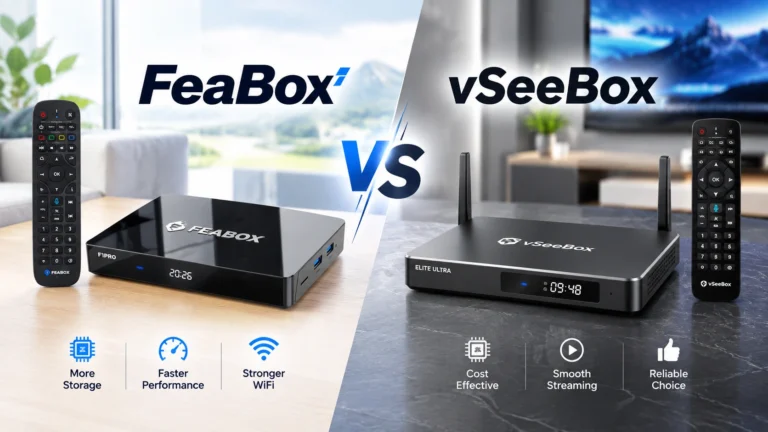
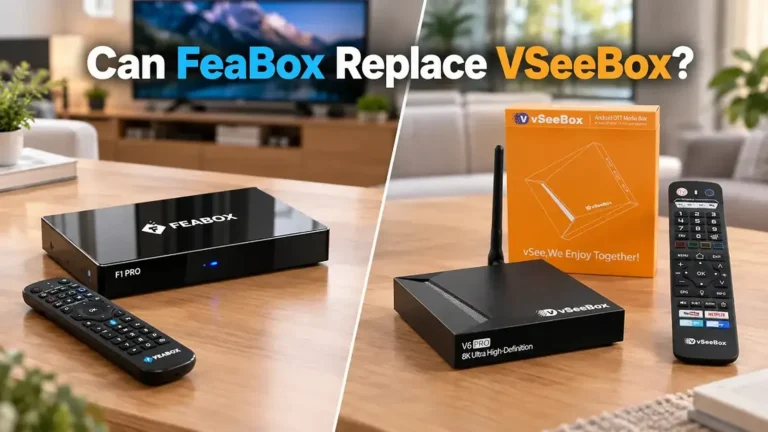
If you’re looking for an affordable way to upgrade your television experience, the FeaBox F1 Pro Android TV box is worth considering. FeaBox F1 Pro is an Android TV box designed to bring more flexibility to your home entertainment setup. It gives users access to the Google Play Store and FeaBox App Store, where they can explore compatible applications.
For sports fans, this means having a convenient place to access supported streaming apps and enjoy available sports content on a larger television screen.
What makes FeaBox F1 Pro worth considering?
- Android 12: Provides an Android-based operating environment.
- Google Play Store: Access compatible applications through Google’s app marketplace.
- FeaBox App Store: Explore additional supported entertainment applications.
- Easy-to-use interface: Navigate applications and entertainment options from your television.
- Multiple entertainment options: Use compatible apps for sports, movies, television, and other content.
- One-time hardware purchase: No mandatory monthly FeaBox subscription or service fee.
Third-party streaming platforms may require their own subscriptions or payments.
For households looking to move away from traditional cable, FeaBox F1 Pro offers another way to organize and enjoy compatible streaming applications in one place.
Interested in upgrading your TV setup? For more information about the product and its features, visit the the leading TV box manufacturer.
Final Thought
Finding the best live sports streaming services without cable doesn’t have to be complicated. YouTube TV, Fubo, Sling TV, ESPN, Peacock, and Paramount+ each offer different ways to follow live sports. The right choice depends on your favorite teams, preferred competitions, budget, and the channels available in your area.
You can also improve your viewing experience with a compatible streaming device. An Android TV box like FeaBox F1 Pro gives you a convenient way to access supported entertainment applications directly on your television. With the right combination of streaming services, internet connectivity, and hardware, you can enjoy live sports without depending on a traditional cable TV package.
Frequently Asked Questions
YouTube TV and Fubo are popular choices for viewers who want a broad selection of live sports channels. However, ESPN, Peacock, Paramount+, and other services may be better for specific sports or events.
Yes. NFL games are available through different broadcast networks and streaming platforms, including CBS, FOX, NBC, ESPN, Prime Video, Peacock, and other services depending on the game and broadcasting schedule.
Yes. NBA games are available through selected national broadcasters and streaming services. Availability depends on the game, regional restrictions, and the applicable subscription.
No. You can use a compatible external streaming device, such as an Android TV box, to access supported streaming applications on a television with an available HDMI input.
FeaBox F1 Pro is an Android TV streaming device, not a sports broadcasting subscription. It provides access to compatible applications through its app stores. Some applications offer free content, while others require a paid subscription.
No mandatory monthly FeaBox subscription or service fee is required. However, third-party applications and streaming platforms may charge their own subscription fees.
A stable broadband connection is important. Around 25 Mbps is a reasonable target for one 4K stream, while HD streaming generally requires less bandwidth. Actual requirements depend on the application, video quality, and number of connected devices.

[…] you are exploring different ways to watch sports without a cable package, our guide to live sports streaming services without cable covers the broader streaming options available to sports […]