
There is something satisfying about turning on your TV and having everything ready within seconds. No complicated setup, no bulky equipment, and no need to spend an evening figuring out which cable goes where. That simplicity is one reason Android TV boxes remain popular among cord-cutters and home entertainment users in 2026.
Among the newer options on the market, FeaBox vs SeekBox is an interesting comparison for anyone looking for a compact streaming device with modern connectivity and flexible entertainment features. Both brands offer Android-based TV boxes, but their hardware, software, storage, and viewing features take slightly different approaches.
FeaBox vs SeekBox: Hardware and Performance
When comparing streaming boxes, specifications are a useful starting point, but they do not tell the entire story. Processor performance, RAM, storage, operating system, connectivity, and everyday usability all contribute to the overall experience. For a broader look at the features that matter when choosing a fully loaded TV box, see our fully loaded TV box comparison, which covers hardware, connectivity, and entertainment features in more detail.
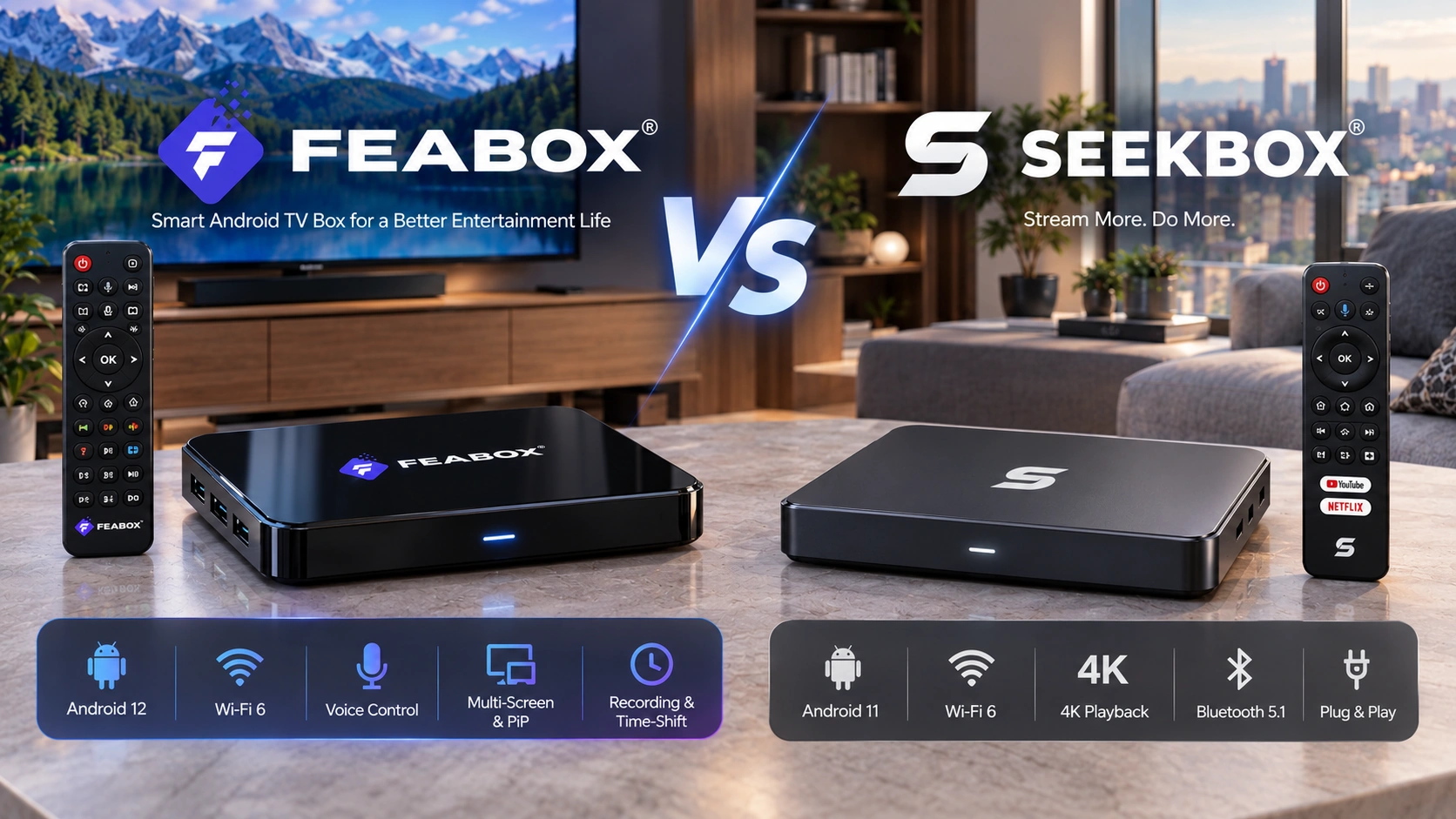
The SeekBox S3 Pro is listed with Android 11, 4GB DDR3 RAM, 64GB eMMC storage, Wi-Fi 6, Bluetooth 5.1, and support for 4K video playback. It is designed as a straightforward Android-based entertainment box with enough hardware for common streaming and media tasks.
The FeaBox lineup takes a slightly newer approach. The F1 Pro and F1 Max run Android 12 and feature 4GB DDR3 RAM, a quad-core ARM Cortex-A53 processor, and Wi-Fi 6 connectivity. The F1 Pro comes with 32GB of storage, while the F1 Max increases that capacity to 64GB. If you are deciding between the two FeaBox models themselves, our FeaBox F1 Pro vs F1 Max comparison takes a closer look at their specifications and features.
Storage and Connectivity
Storage is one of the easiest differences to understand. The FeaBox F1 Pro provides 32GB of internal storage, making it suitable for users who mainly stream content and do not expect to install a large number of applications. The F1 Max doubles that capacity to 64GB, giving users more room for apps and stored content.
The SeekBox S3 Pro also comes with 64GB of storage, putting it closer to the F1 Max in this area. Both FeaBox and SeekBox support Wi-Fi 6, while FeaBox also offers Ethernet connectivity for users who prefer a wired connection. For someone with a modern home network, either option can fit naturally into a wireless setup, while a wired connection can be useful when consistent network performance is a priority.
Streaming Experience and Everyday Use
Specifications only tell part of the story. The real test begins when you sit down at night and start navigating through the device. A good streaming box should feel straightforward, with an interface that is easy to understand and a remote that does not make everyday navigation unnecessarily complicated.
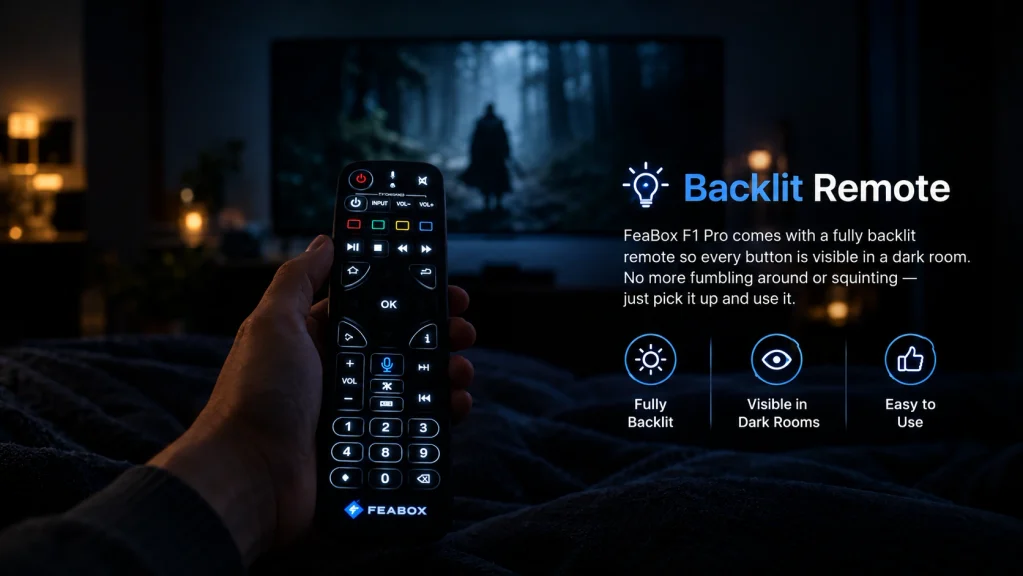
FeaBox focuses on a simple interface combined with a Bluetooth voice remote. FeaBox focuses on a simple interface combined with a Bluetooth voice remote. The F1 Pro also comes with a fully backlit remote, making every button easy to see in a dark room. This is a small but practical detail for late-night viewing, when reaching for the remote should not mean turning on another light or guessing which button to press. The backlit design keeps key controls visible while you navigate, adjust the volume, or switch between functions.
SeekBox takes a similarly straightforward approach. Its S3 Pro is designed around a plug-and-play setup, allowing users to connect the box, establish a network connection, pair the remote, and follow the on-screen instructions. For households that simply want to get a new Android TV box connected and start watching, this simplicity can be more important than having the most impressive specification sheet.
FeaBox Features for Live TV and Home Entertainment
One area where FeaBox puts particular emphasis is live entertainment. The F1 Pro and F1 Max include features such as recording, Picture-in-Picture, multi-screen viewing, parental controls, voice control, and Extended Time-Shift. These additions are aimed at users who want more control over live programming rather than simply opening a streaming application and watching on-demand content.
Time-Shift, for example, gives viewers more flexibility when watching live programming, while recording allows certain content to be saved for later viewing. Multi-screen functionality and Picture-in-Picture can also be useful for households where more than one piece of content needs attention at the same time.
Of course, not every viewer needs these features. Someone who primarily watches on-demand streaming services may care more about app compatibility, storage, interface design, and network stability. This is where the comparison becomes less about which specification looks better on paper and more about how each device fits into an individual’s viewing habits.
Why FeaBox Stands Out
For shoppers comparing newer Android TV boxes, FeaBox offers more than the basic functions needed for everyday streaming. The F1 Pro and F1 Max combine Android 12, Wi-Fi 6, voice control, recording, multi-screen functionality, Picture-in-Picture, parental controls, and Extended Time-Shift. The two models also provide 32GB and 64GB storage options, giving users more flexibility when choosing a configuration that matches their needs.
SeekBox S3 Pro focuses on core Android TV box functionality, including 4K playback, Wi-Fi 6 connectivity, 64GB storage, and access to Android applications. These features make it a straightforward option for users who mainly want a conventional streaming setup.
For users who want their TV box to do more than simply run streaming applications, FeaBox offers a broader combination of viewing and convenience features. The F1 lineup is designed to support different viewing habits, whether you mainly stream content, watch live programming, follow sports, or share the TV with other members of your household. If you are comparing several newer Android boxes, you can also see how FeaBox compares with another competitor in our FeaBox vs vSeeBox comparison.
Setup and Connectivity
A modern streaming box is only as useful as the connection behind it. Both FeaBox and SeekBox support Wi-Fi 6, giving them compatibility with a newer wireless standard designed to improve network efficiency and performance on compatible routers.
FeaBox also provides Ethernet connectivity, giving users the option of a wired connection when they want an alternative to Wi-Fi. Installation is similarly uncomplicated: connect the box to the TV, connect the power supply, pair the remote, establish an internet connection, and follow the on-screen setup process.
For users who already have a modern home network, neither device requires an unusually complicated installation. The more important consideration is whether your home internet connection and chosen streaming applications can provide the experience you expect.
FeaBox vs SeekBox: Which One Should You Choose?
There is no single specification that determines which TV box will suit everyone. The FeaBox F1 Pro is a practical option for users who want the core FeaBox experience with 32GB of storage, while the F1 Max increases storage to 64GB without changing the overall platform. Both models use Android 12, 4GB RAM, Wi-Fi 6, and the same general group of entertainment features.
The SeekBox S3 Pro offers 64GB of storage alongside Android 11, 4GB RAM, Wi-Fi 6, Bluetooth 5.1, and 4K playback support. For users who want a straightforward Android streaming box with 64GB of internal storage, it provides a simple configuration without having to choose between multiple storage tiers.
Before buying, it is worth checking the applications you actually use, your preferred connection method, storage requirements, and whether features such as recording or time-shifting matter to your viewing habits. Those practical details can be more relevant than small differences between specification sheets.
Why Android TV Boxes Remain Popular in 2026
The appeal of Android TV boxes has changed over the years. They are no longer simply a way to turn an older television into a smart TV. Modern devices are increasingly expected to combine streaming, live television, applications, wireless connectivity, voice control, and other home entertainment functions in one compact package.
That is why comparisons such as FeaBox vs SeekBox are useful. Looking only at maximum video resolution does not tell you how a device fits into everyday life. FeaBox focuses on combining modern Android hardware with additional viewing tools, while SeekBox takes a more straightforward Android streaming approach.
For international buyers, it is also important to check regional app availability, content licensing, network requirements, warranty terms, and local customer support before purchasing. These factors can vary depending on where you live and how you plan to use the device.
Final Thoughts
Choosing between two Android TV boxes is ultimately less about finding the device with the longest specification list and more about finding one that matches your viewing habits. FeaBox vs SeekBox presents two compact approaches to modern home entertainment: SeekBox S3 Pro offers 64GB storage, Android 11, Wi-Fi 6, Bluetooth 5.1, and 4K playback, while FeaBox brings Android 12, multiple storage options, Wi-Fi 6, voice control, recording, multi-screen viewing, and Extended Time-Shift to its F1 lineup.
If those additional live-TV and convenience features are important to you, FeaBox TV box is worth a closer look. If your priority is a straightforward Android streaming box with 64GB storage, SeekBox is another option to consider. Either way, comparing the actual features you will use is a better starting point than choosing based on specifications alone.
FAQ
The main differences are their operating systems, storage configurations, and additional entertainment features. FeaBox’s F1 series uses Android 12, while the SeekBox S3 Pro is listed with Android 11.
The FeaBox device itself does not require a mandatory monthly device subscription. However, individual third-party applications may have their own subscription requirements.
Yes. The SeekBox S3 Pro supports 4K video playback and is designed for high-resolution home entertainment.
The FeaBox F1 Max has 64GB of internal storage, compared with 32GB on the F1 Pro.
FeaBox is another option to consider when comparing Android TV boxes, particularly for users interested in Android 12, Wi-Fi 6, voice control, recording, multi-screen viewing, and Extended Time-Shift.