
Traditional cable still offers plenty of channels and features, but it also comes with extra equipment and monthly costs. For many households, the familiar cable box remains the link between their TV and cable provider.
But with streaming services, Smart TVs, and Android TV boxes becoming more popular, is a cable box still worth using? This guide explains how it works, the different types available, and what alternatives you should consider.
What is a Cable Box?
A cable box is an external device that connects your television to a cable television service.
Instead of sending the cable signal directly to your TV, the cable box receives and processes the signal from your cable provider. It then sends the video and audio to your television, usually through an HDMI connection.
A typical cable box may provide access to:
- Live cable channels
- Premium channels
- On-demand movies and shows
- Electronic program guides
- DVR or recording features
- Parental controls
- Provider-specific streaming or interactive services
The exact features depend on the cable company, equipment, and subscription plan. In simple terms, the cable box acts as the connection between your cable service and your TV. If you’re researching different types of devices for your television, our guide to digital boxes for televisions can help explain how cable boxes compare with converter boxes and streaming devices.
How Does a Cable Box Work?
The basic process is relatively straightforward.
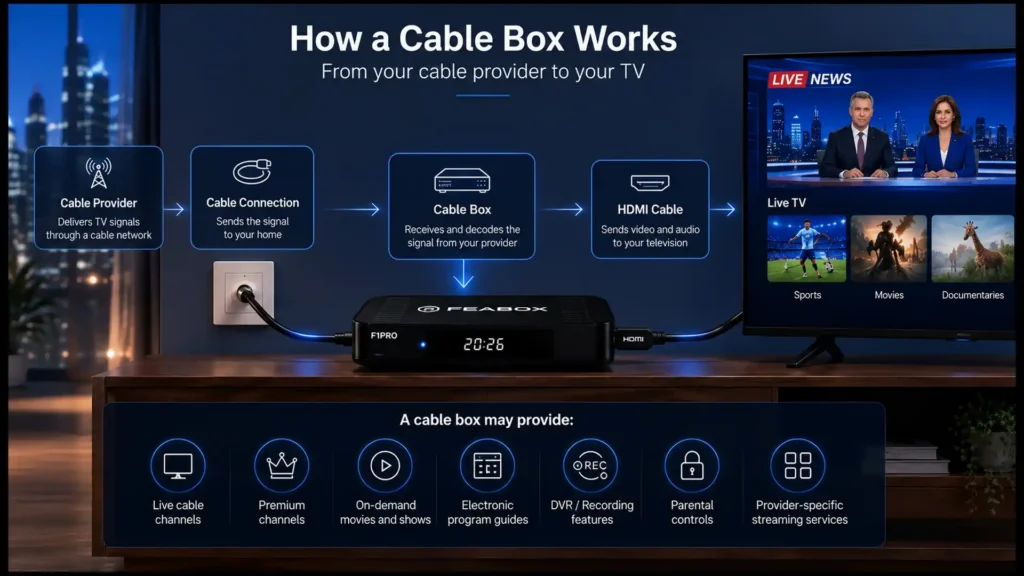
Your cable provider delivers television signals through its cable network. The cable box receives those signals and decodes the channels included in your subscription. The box then sends the selected content to your TV.
A simplified setup looks like this:
Cable provider → Cable connection → Cable box → HDMI → TV
The cable box may also communicate with your provider to determine which channels and services your account is authorized to access. This is why a cable box isn’t simply a device that lets you watch free television. It is normally part of a larger cable service provided by a company.
Why Do You Need a Cable Box?
Whether you need one depends on your cable provider and the type of service you’re using. For traditional digital cable services, the cable box may be required to decode encrypted channels and provide access to your subscribed channel package.
A cable box can also make it easier to navigate a large channel lineup. Instead of manually switching between channels, you can use an on-screen guide to see what’s currently playing and what’s coming next.
Some newer cable boxes also combine traditional television with internet-connected features, including on-demand libraries and provider apps. However, if most of your entertainment comes from streaming services, you may not need a traditional cable box at all.
Types of Cable Boxes
Not every cable box has exactly the same features. Cable providers may offer different models depending on the services you subscribe to.
Standard Cable Box
A standard cable box is designed primarily for watching live cable television.
It typically provides:
- Live channels
- Electronic program guide
- Basic channel controls
- HDMI output
- Access to your provider’s channel lineup
This type of box is suitable if you mainly want traditional cable TV without additional recording or advanced features.
DVR Cable Box
A DVR cable box adds recording functionality to a traditional cable setup.
Depending on the model, you may be able to:
- Record live programs
- Pause live TV
- Rewind programs
- Schedule recordings
- Store recorded shows
This can be useful for households that watch a lot of live television but don’t always have time to watch programs when they’re broadcast.
HD and 4K Cable Boxes
Cable providers may also offer boxes designed for higher-resolution televisions. If you have a 4K TV, it doesn’t automatically mean that every channel will appear in 4K. The resolution depends on the content, channel, subscription, and equipment. Before choosing a box, check that the device supports the resolution and features offered by your provider.
Cable Gateway or Advanced TV Box
Some providers now combine television functionality with additional internet-connected services.
These devices may provide access to:
- Live TV
- On-demand content
- Streaming apps
- Voice controls
- Cloud DVR
- Provider-specific applications
The exact features vary considerably between providers.
Cable Box vs. Streaming Box: What’s the Difference?
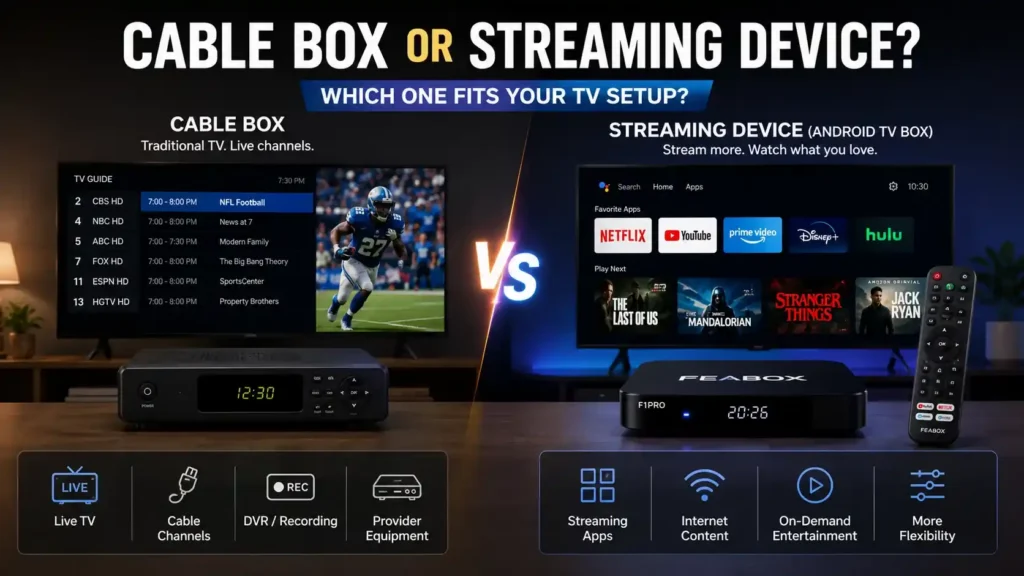
The biggest difference is where your content comes from. A cable box is designed around a cable provider’s television service. A streaming box connects to the internet and lets you access compatible streaming applications.
| Feature | Cable Box | Streaming Box |
|---|---|---|
| Main content source | Cable provider | Internet |
| Live cable channels | Yes | Not automatically |
| Streaming apps | Limited/provider-dependent | Main purpose |
| Cable subscription | Usually required | Not necessarily |
| Internet required | Depends on provider | Yes |
| App flexibility | Limited | Generally broader |
| On-demand content | Provider-dependent | Wide range of apps |
| DVR | Some models | Depends on apps/services |
Neither option is automatically better.
If you already pay for cable and want its channel lineup, a cable box may be the simplest choice. If you mainly watch apps, streaming services, YouTube, free content, or online live TV, a streaming device may make more sense.
Cable Box vs. Android TV Box
An Android TV box is another type of external device, but it serves a different purpose from a traditional cable box.
A cable box is tied closely to your cable provider.
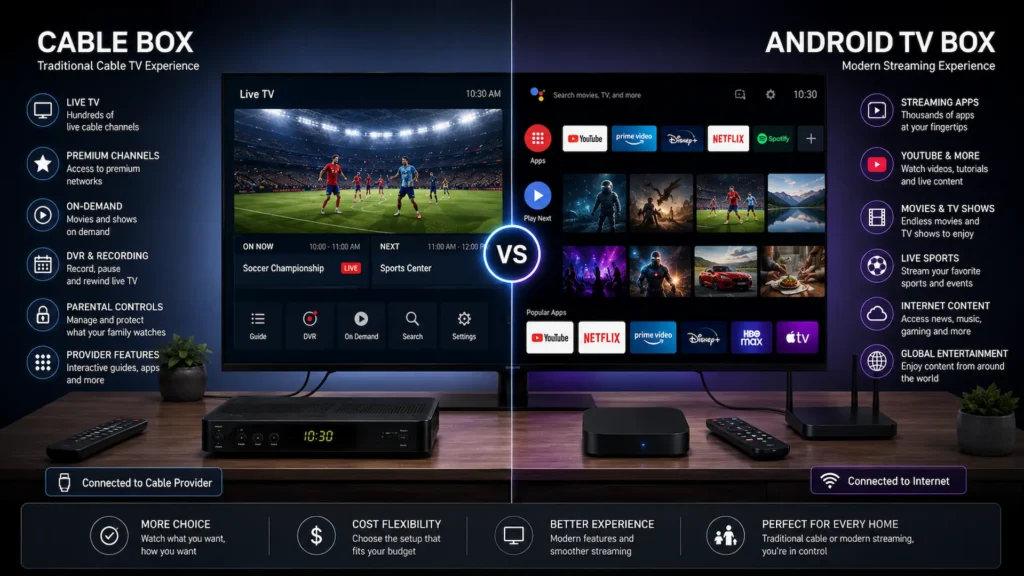
An Android TV box gives you an Android-based platform where you can install and use compatible applications. You can learn more about the platform and its features on the official Android TV website That means the two devices approach television from completely different directions.
Cable Box
Best suited for:
- Traditional cable channels
- Provider packages
- Premium cable networks
- Provider-specific on-demand content
- Households that already have cable service
Android TV Box
Best suited for:
- Streaming applications
- YouTube
- Free streaming services
- Online movies and TV shows
- Live TV applications
- International content
- More customizable setups
If you’re deciding whether an external Android device makes more sense than upgrading your television itself, our Android TV Box vs Smart TV guide explains the main differences. And if you’re completely new to Android TV boxes, our android tv box guide goes into more detail about what these devices are and how they work.
Can an Android TV Box Replace a Cable Box?
Not completely. An Android TV box isn’t a direct replacement for every cable service. If you subscribe to a traditional cable provider and want access to its complete channel lineup, you’ll generally still need the equipment and service required by that provider. However, an Android TV box can replace some of the things people use a cable box for.
For example, if you mainly want:
- Movies
- TV shows
- YouTube
- Free streaming channels
- News apps
- Sports streaming services
- International content
- Other internet-based entertainment
then a streaming-focused Android TV box may provide a more flexible setup. The important distinction is that an Android TV box doesn’t magically provide paid cable channels. It provides a platform for compatible apps and services.
What About a Cable Box Digital TV Setup?
When people search for a cable box digital TV solution, they’re often trying to figure out how to connect an external box to a modern television.
The basic setup is usually simple:
Cable service → Cable box → HDMI cable → TV
Your TV doesn’t necessarily need to have built-in cable functionality. The external box handles the cable service while your television acts as the display. This can be particularly useful if you have an older TV that still has a good screen but lacks modern connectivity or smart features. However, if you’re not actually subscribed to cable, buying a cable box alone won’t give you access to cable channels.
Do You Need a Cable Box With a Smart TV?
Not necessarily.
A Smart TV already has an operating system and built-in applications, so you don’t need a cable box simply because your television is “smart.” However, if you subscribe to traditional cable television, your provider may still require or recommend a cable box for certain channels and features.
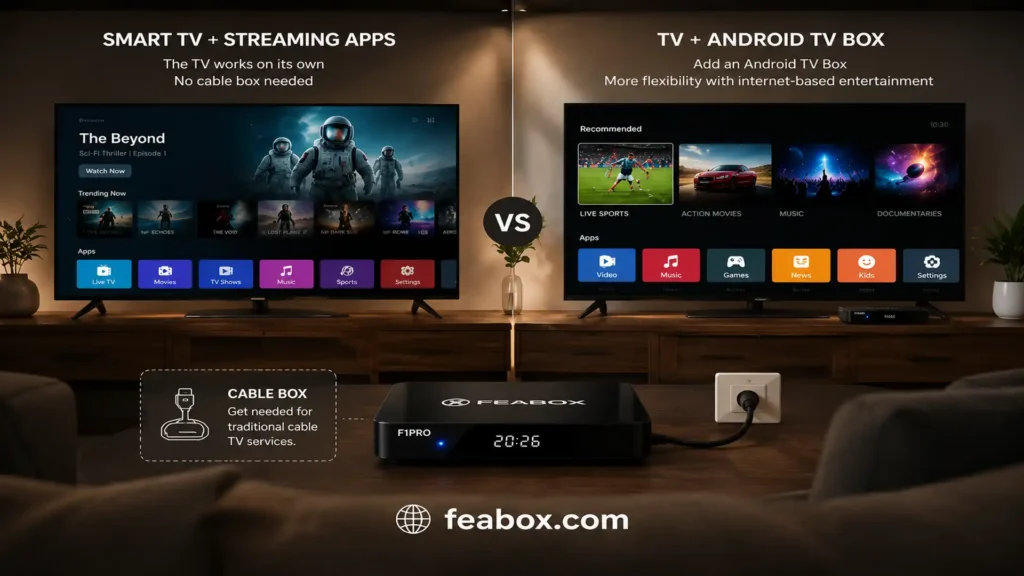
On the other hand, if you have stopped using cable and mainly watch streaming services, you may not need a cable box at all.
In that situation, you could use:
Smart TV → Streaming apps
or
TV → Android TV box → Streaming apps
The second option can be useful when the Smart TV’s built-in software is slow, outdated, or doesn’t support the apps you want.
What to Look for in a Cable Box
If you’ve decided that a cable box is the right solution, don’t just choose the first model you find.
Consider the following factors.
- Provider Compatibility: This is the most important consideration. A cable box isn’t universally interchangeable between providers. Make sure the equipment is compatible with the cable service you plan to use.
- Resolution Support: If you own a 4K television, check whether the cable box supports the resolution and content available through your provider.
- DVR Features: If you regularly miss live programs, a DVR-enabled box may be worth considering. Look for features such as: Recording, Pause and rewind, Scheduled recordings, Storage capacity, Cloud DVR support
- On-Demand Content: Some cable boxes provide access to your provider’s on-demand library. If you frequently watch movies and shows outside their normal broadcast schedule, this can be useful.
- Remote Control: A simple remote can make a surprisingly big difference to everyday use. Some newer systems also support voice commands, making it easier to search for channels and programs.
- Internet Connectivity: Some modern cable boxes include internet connectivity for on-demand content, apps, voice controls, and other interactive features.
Should You Buy a Cable Box or a Streaming Device?
This is where your viewing habits matter most.
Choose a cable box if:
- You already subscribe to cable
- You watch traditional cable channels regularly
- You want your provider’s complete channel lineup
- You rely on provider-specific services
- You want traditional DVR functionality
Consider a streaming device if:
- You rarely watch traditional cable
- You mainly use streaming apps
- You want more flexibility
- You prefer free streaming services
- You want access to online content
- You want to reduce your dependence on cable
If you’re researching cable boxes for sale, don’t compare hardware alone. First decide whether you actually need cable service or whether a streaming device would better fit your viewing habits.
Best Cable Box for TV: What Should You Choose?
There isn’t one best cable box for TV for everyone. The best option depends largely on your cable provider and the features you need.
For example, someone who only watches live cable channels may have completely different requirements from someone who wants DVR recording, 4K content, voice controls, and on-demand programming.
Before buying, ask yourself:
- Which cable provider do I use?
- Which channels do I actually watch?
- Do I need DVR recording?
- Do I need 4K support?
- Do I want on-demand content?
- Do I also use streaming apps?
- Am I trying to reduce my cable usage?
That last question is particularly important. If you’re already considering moving away from traditional cable, buying an expensive cable box may not be the best long-term solution.
Where to Buy a Cable Box
If you search for where to buy a cable box, you’ll find both provider equipment and third-party devices. However, cable boxes are different from ordinary streaming devices because compatibility matters.
Before purchasing one, check:
- Your cable provider
- Supported services
- Equipment compatibility
- Required subscriptions
- Connection requirements
- Whether the device is owned or rented
- Whether the provider supports customer-owned equipment
Buying a cheap cable box that isn’t compatible with your service can end up costing more than using the equipment supplied by your provider. For households that don’t actually need traditional cable, a streaming device may be a more straightforward purchase.
What If You Want to Move Away From Cable?
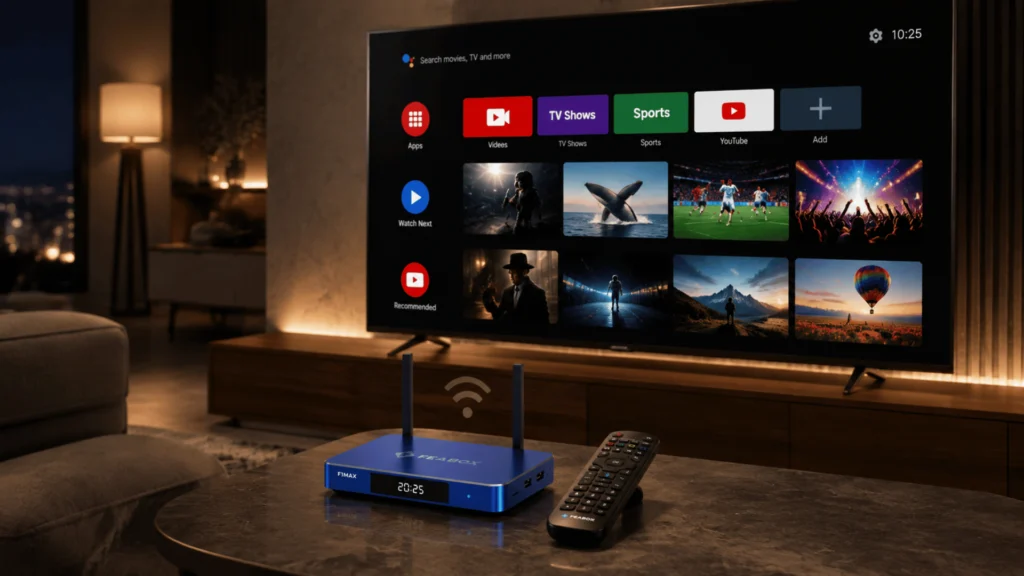
This is where an Android TV box can become a useful alternative. Instead of paying for a large cable package, you can build your entertainment setup around the services you actually use.
For example:
TV + Android TV box + internet can provide access to compatible apps for:
- Movies
- TV shows
- News
- Sports
- YouTube
- Free streaming services
- International programming
- Music
The FeaBox F1 Max streaming box, for instance, is designed for this type of Android-based streaming setup. Rather than functioning as a traditional cable box, FeaBox provides an external Android platform for compatible streaming applications. This makes it particularly relevant for people who already have a good TV but want more flexibility than their built-in software provides.
Cable Box or Android TV Box: Which Makes More Sense?
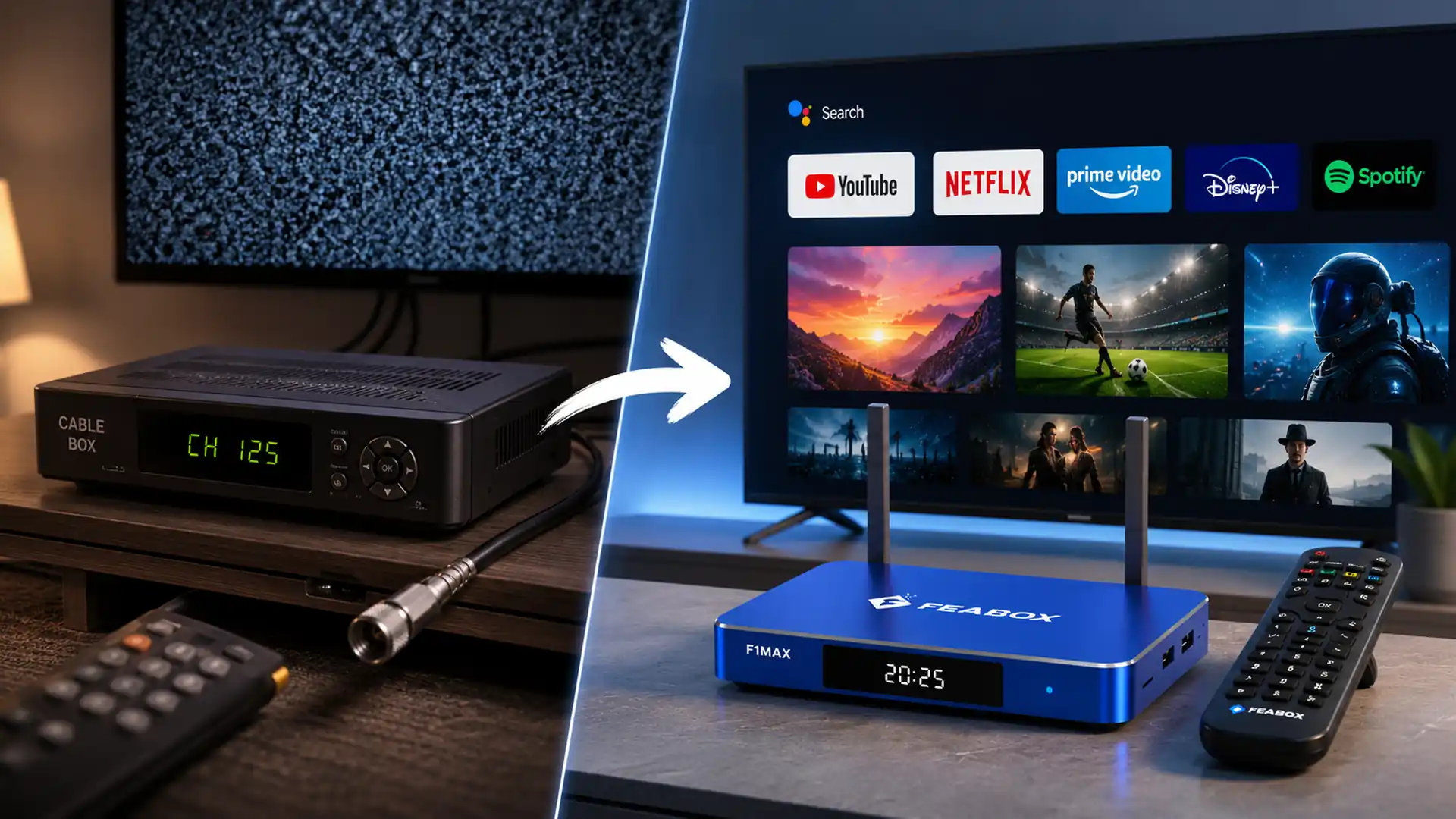
The answer ultimately comes down to your source of content. If your viewing experience revolves around a traditional cable subscription, a cable box remains useful. If you mainly want internet-based entertainment, an Android TV box may give you more flexibility. And you don’t necessarily have to choose only one. Some households use a cable service for live channels while using a streaming device for apps and online content.
If IPTV is part of your setup, it’s also worth looking at which is the best streaming device for TV for IPTV before choosing a device. Different streaming devices can vary significantly in hardware performance, app compatibility, connectivity, and ease of use.
Frequently Asked Questions
A cable box is an external device that receives and processes television signals from a cable provider and sends the selected content to your TV.
Not always. If you use streaming apps, your Smart TV may be enough. However, a cable provider may require a cable box for access to certain cable services and features.
It can replace some cable-box functions for streaming content, but it doesn’t automatically provide your cable provider’s channels or replace a cable subscription.
Yes. Cable boxes remain useful for households that subscribe to traditional cable television, particularly when they want provider-specific channels, DVR features, or on-demand services.
A cable box primarily receives content from a cable provider, while a streaming box connects to the internet and provides access to compatible streaming applications.
It depends on your cable provider. Some providers support customer-owned equipment, while others require or recommend their own equipment. Always check compatibility before purchasing.
The best cable box depends on your provider, channel package, resolution requirements, DVR needs, and other features you want. There is no single model that is best for every household.
Final Thoughts
A cable box still makes sense if you rely on traditional cable television and want access to your provider’s channels, DVR features, and on-demand services.
But the way people watch TV has changed. If most of your entertainment now comes from streaming apps and internet-based services, a traditional cable box may not be the most flexible option.
For viewers looking for greater control over their entertainment setup, an Android TV box can provide another way to access compatible streaming applications without replacing the television itself.
The key isn’t finding the most expensive box. It’s choosing the device that matches where your content comes from and how you actually watch TV.