

Your TV doesn’t have to be old to feel outdated. Maybe the built-in apps are painfully slow, your favorite streaming service isn’t supported, or you’re still paying for a cable box just to watch a handful of channels. Digital boxes for televisions can help solve these problems by adding new features and giving you more ways to access the content you actually want to watch.
The tricky part is that not every digital box is designed for the same job. Some convert broadcast signals for older TVs. Others connect you to cable channels, while streaming boxes give you access to apps and online content. Choosing the wrong type can leave you with another device that doesn’t actually solve your problem.
So, which digital box should you choose? It depends on what you want to watch, how you use your TV, and how much flexibility you need. In this guide, we’ll break down the main types of digital boxes, explain what each one does, and help you figure out which option makes the most sense for your setup.
What Are Digital Boxes for Televisions?
A digital box is a device that adds or improves certain functions on your television. Depending on the type, it can receive broadcast signals, deliver cable channels, or connect your TV to internet-based streaming services.
The term digital box covers several different devices, which is why shopping for one can get confusing. A digital converter box isn’t the same thing as a cable box, and neither works exactly like a streaming box.
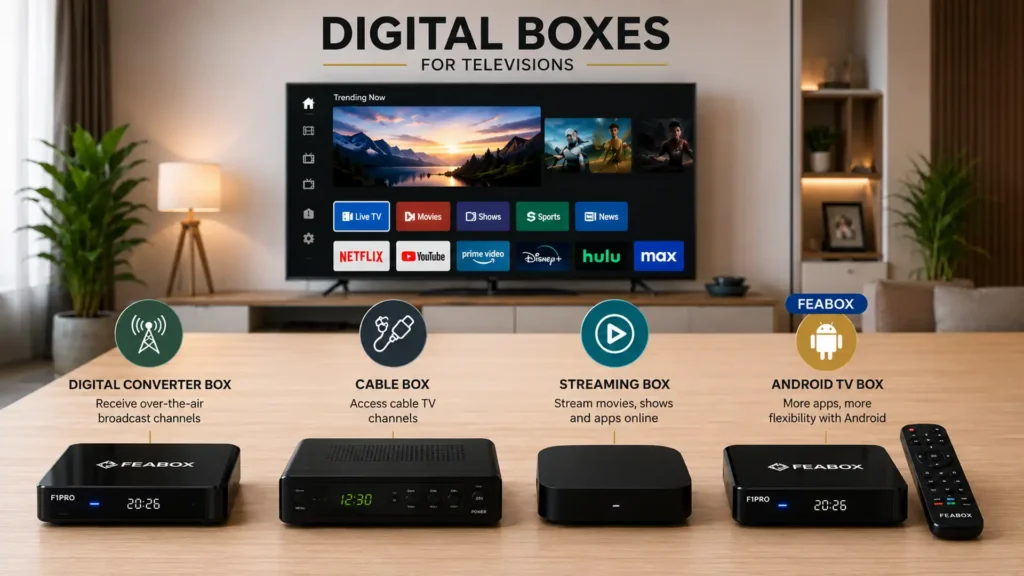
The basic idea is simple: the box handles a specific type of content or service, while your television displays it on the screen.
For older TVs, that might mean converting a broadcast signal. For newer TVs, it could mean adding streaming apps that your television doesn’t support. This flexibility is one reason digital boxes remain useful even as smart TVs become more common.
Why Do People Still Need a Digital Box for Their TV?
Smart TVs have made streaming easier, but they haven’t eliminated the need for external devices. If you’re deciding between upgrading your existing TV and adding an external device, see our comparison of Android TV Box vs Smart TV to understand the key differences.
Your TV might have an outdated operating system, limited storage, or an app store that doesn’t support the services you want. Some TVs also become noticeably slower after several years of use.
An external digital box gives you another option. Instead of replacing the entire television, you can connect a compatible device and upgrade the experience.
This is especially useful if you have a perfectly good TV that still produces a great picture but struggles with everything else.
You also get more flexibility when you choose the right box. A streaming-focused device can bring multiple apps together, while a cable box keeps you connected to your provider’s channel lineup.
Types of digital boxes for televisions
Not every digital box serves the same purpose. Before buying one, it helps to understand the main categories and how they differ.
Some boxes are designed to help older televisions receive broadcast signals, while others connect your TV to cable services or the internet. The right option depends on how you watch television and where your content comes from.
| Type | Main Purpose | Content Source | Best For |
|---|---|---|---|
| Digital Converter Box | Convert broadcast signals | Antenna | Local broadcast TV |
| Cable Box | Access provider channels | Cable service | Traditional cable TV |
| Streaming Box | Access streaming apps | Internet | Streaming & online content |
| Android TV Box | Flexible app-based streaming | Internet | Custom streaming setups |
Here’s a closer look at how each type of digital box works.
Digital Converter Boxes
Digital converter boxes are mainly designed for older televisions that need help receiving digital broadcast signals. They convert over-the-air digital signals into a format that compatible older TVs can display. A digital converter box for TV can be useful if your television doesn’t have a built-in digital tuner but still works well otherwise. The FCC’s guide to digital television explains how digital television broadcasting works and what consumers need to know about the transition.
These devices make sense if your goal is simple: receive local broadcast channels without replacing your TV.
They don’t turn an older television into a full streaming system, though. You won’t suddenly get Netflix, YouTube, or other internet-based apps just because you added a converter box.
Cable Boxes
A cable box connects your television to a cable provider’s service. It gives you access to the channels included in your subscription and usually comes with provider-specific features.
The downside is that you’re tied to the provider’s ecosystem. You may also have equipment rental fees, channel packages, contracts, and other costs on top of your monthly service.
If you’re already happy with cable, a cable box may be exactly what you need. But if you’re trying to cut the cord or gain more control over your viewing options, other digital boxes are worth considering.
Streaming Boxes
Streaming boxes connect your TV to the internet and give you access to compatible apps and streaming platforms.
Instead of receiving channels directly from a cable provider, you choose which services you want to use. That could include free ad-supported platforms, paid streaming subscriptions, live TV services, news apps, and other content platforms.
This makes streaming boxes a popular choice for people who want to move away from traditional cable.
Android TV Boxes
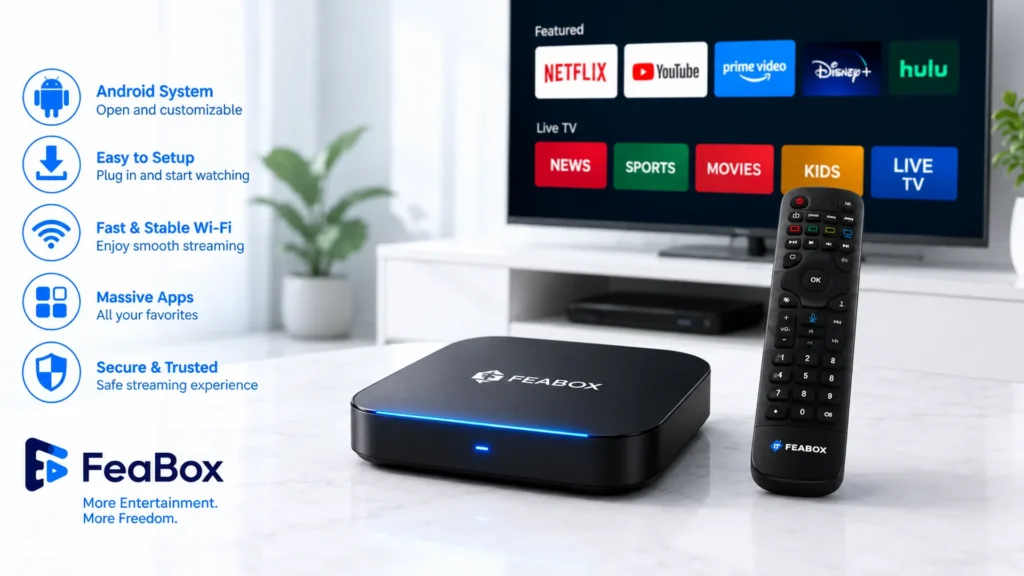
Android TV boxes take the streaming concept a step further by offering an Android-based platform with broader app flexibility.
Depending on the device, you can install compatible streaming apps, watch online content, access live TV platforms, and customize your setup around the services you actually use.
If you want to understand how this type of device works in more detail, our guide to best tv android tv box covers the technology, features, and main benefits in greater depth.
Digital Converter Box vs. Streaming Box: What’s the Difference?
The biggest difference comes down to where your content comes from.
A digital converter box receives broadcast signals through an antenna. A streaming box receives content through an internet connection.
That means they solve completely different problems.
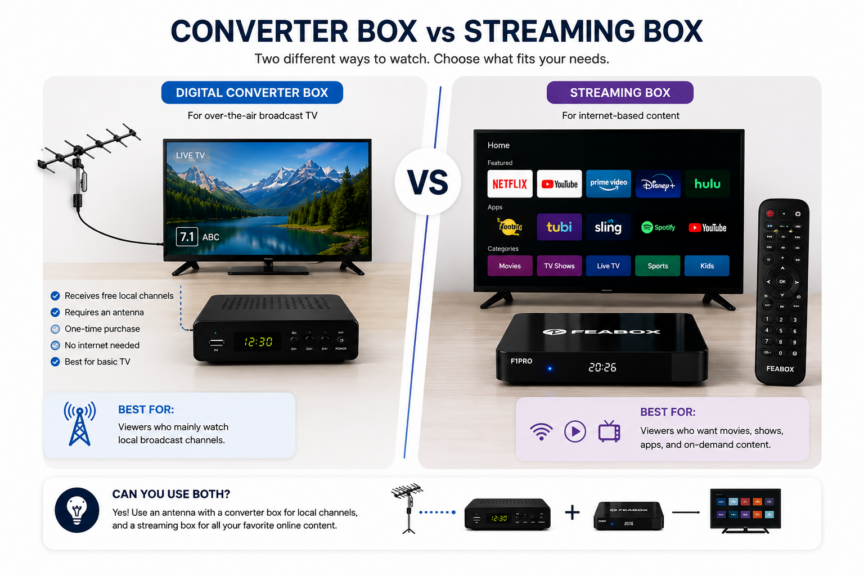
If you simply want local broadcast channels such as ABC, CBS, NBC, or FOX, an antenna and converter box may be enough for an older TV.
If you want Netflix, YouTube, free streaming channels, international content, or other internet-based services, you’ll need a streaming-capable device instead.
Some households may even use both. An antenna can handle local broadcasts, while a streaming box handles everything that comes through the internet.
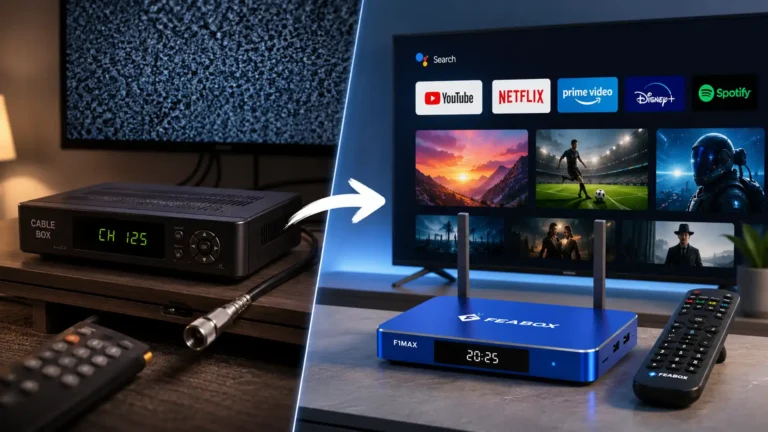
Cable Box vs. Digital Streaming Box
A cable box gives you access to a provider’s channel lineup. A digital streaming box gives you more freedom to choose your own services.
With cable, you might receive hundreds of channels in one package. The problem is that you may only watch a small percentage of them.
Streaming works differently. You can choose individual services and free platforms based on what you actually watch.
The tradeoff is that streaming requires an internet connection and may involve multiple subscriptions. But you also get more control over your setup and can usually cancel services without dealing with traditional cable equipment.
If you’re specifically comparing the two, a streaming box gives you more flexibility because you’re not tied to a traditional cable provider or channel package.
Android TV Boxes as Digital Boxes for Televisions
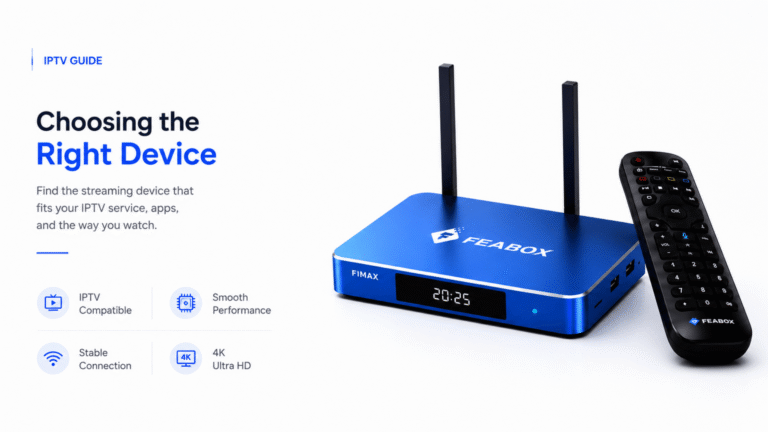
For people who want more than basic broadcast or cable access, an Android TV box can be one of the most versatile types of digital boxes for televisions. If IPTV is an important part of your setup, it’s also worth comparing different streaming devices before choosing one. Our guide to which is the best streaming device for TV for IPTV breaks down the features that matter most for IPTV streaming.
The main advantage is flexibility. Instead of relying on the apps built into your TV, you can use an external device to manage compatible streaming applications from one interface.
You might use one app for free local news, another for movies, another for international programming, and another for live TV. Rather than replacing your TV whenever its built-in software becomes outdated, you can upgrade the external box instead.
That makes an Android TV box particularly useful for people who want to build a more customized streaming setup.
What Can You Watch With a Digital Streaming Box?
The answer depends on the device and the apps it supports.
A typical streaming box can give you access to:
- Free ad-supported streaming services
- Movies and TV shows
- Live news
- Sports streaming services
- YouTube
- International programming
- Music apps
- Personal media
- Other compatible streaming applications
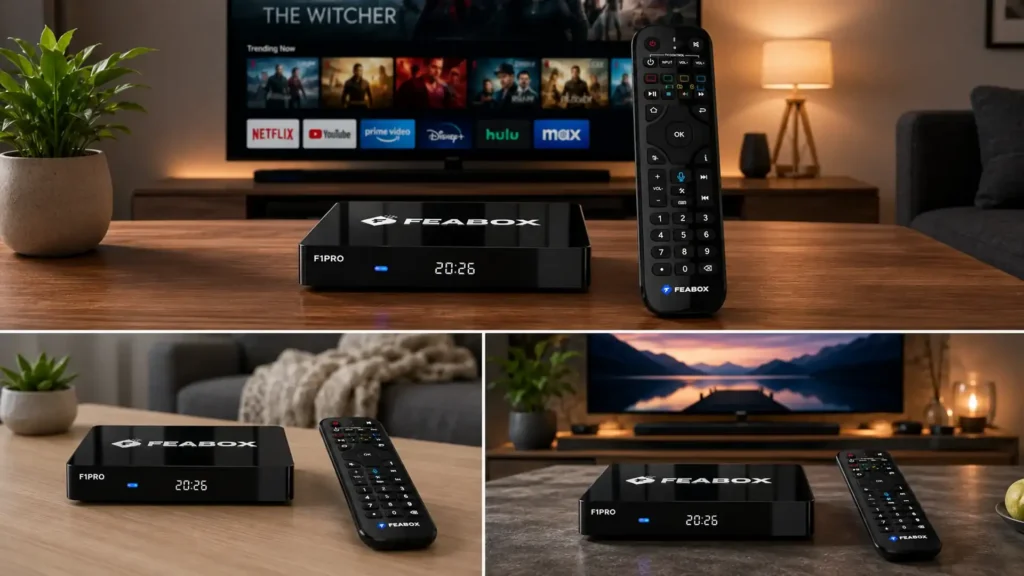
You don’t necessarily need a paid subscription for everything, either. Services such as Pluto TV, Tubi, and other FAST platforms offer free content supported by advertising.
The key is choosing a box that supports the apps you actually want to use.
What to Look for When Choosing a Digital Box
Once you’ve figured out what type of digital box you need, the next step is comparing hardware.
- Compatibility: Make sure the box works with your TV and supports the apps or services you plan to use.
- Resolution: If you own a 4K TV, look for a device that supports 4K output and the video formats you want to watch.
- Internet Connectivity: Reliable Wi-Fi is important for streaming. Ethernet can also be useful if you want a more stable wired connection.
- Storage: If you only plan to install a few apps, basic storage may be enough. More storage helps if you want to install many applications or store media locally.
- Performance: A slow processor or limited RAM can make even simple streaming frustrating. Look for hardware that can handle the apps and resolution you expect to use.
- Remote Control: A good remote makes everyday use much easier. Voice controls and shortcut buttons can also save time when switching between apps.
- Software Support: Check how regularly the manufacturer updates the device. Long-term software support can make a big difference to the lifespan of your streaming setup.
Is FeaBox a Good Digital Box for Your TV?
If you’re looking for a streaming-focused digital box, FeaBox offers an Android-based approach designed around flexibility.
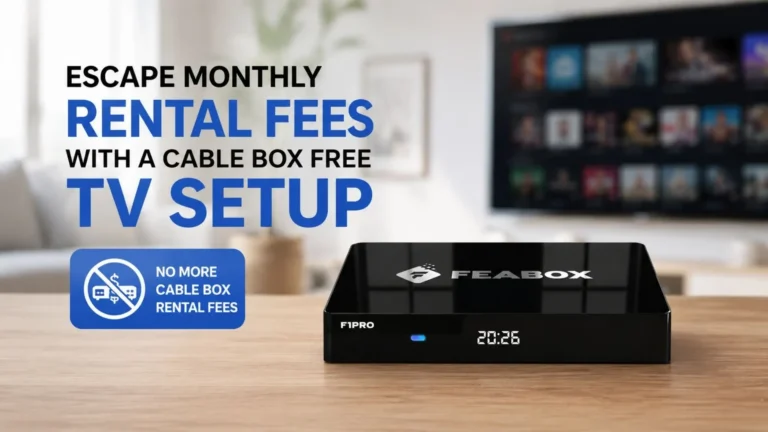
The FeaBox F1 Pro Android TV box, for example, lets you install compatible streaming applications and manage them from one interface. That makes it possible to build a setup around the content you actually watch instead of relying entirely on your TV’s built-in software.
You can use compatible apps for news, entertainment, international programming, and other streaming content. The goal isn’t to force everything into one service. It’s to give you a flexible device that brings your preferred apps together.
For households that already have a TV they like but want a more capable streaming experience, that can be a much simpler upgrade than buying a completely new television.
How to Choose the Right Digital Box for Your TV
There’s no single digital box that’s right for everyone.
If you have an older TV and only want local broadcast channels, a digital converter box may be enough.
If you want access to a traditional cable package, a cable box makes sense.
If your main goal is streaming apps, a streaming box is the better fit.
And if you want a more customizable streaming setup with broad app flexibility, an Android TV box may be worth considering.
The important thing is to start with your viewing habits rather than the device itself. Think about what you watch, where your content comes from, and how much control you want over your setup.
Frequently Asked Questions
Digital boxes can add different functions to a television. Depending on the type, they can receive broadcast signals, provide cable channels, or connect your TV to internet-based streaming services.
Not necessarily. A modern Smart TV may already provide everything you need. An external box becomes useful when your TV has limited apps, slow software, or poor support for the services you want.
Some streaming boxes can give an older compatible TV access to internet-based apps. The TV generally needs an available HDMI port and the box needs an internet connection.
A converter box receives digital broadcast signals, usually through an antenna. A streaming box connects to the internet and provides access to compatible apps and online content.
An Android TV box can replace some of the functions you use a cable box for, especially if you mainly watch streaming services. However, it doesn’t automatically provide every cable channel or replace a cable subscription.
They can be, especially if your TV has limited software or you want more control over your streaming setup. The right choice depends on the content and services you plan to use.
Final Thoughts
Digital boxes for televisions aren’t one-size-fits-all devices. A converter box, cable box, and streaming box each solve a different problem.
For basic broadcast TV, a converter box may be all you need. For traditional cable, you’ll probably stick with your provider’s equipment. But if you want more flexibility, app support, and control over how you watch content, a streaming box is worth considering.
An Android TV box can take that flexibility even further by giving you a customizable platform for compatible streaming apps. And if you’re looking for a device built around that approach, FeaBox: the best TV box in the market gives you another way to upgrade your TV without replacing the screen itself.

[…] be enough to improve your setup without replacing the screen. If you’re comparing different digital boxes for televisions, our guide can help you understand the main options before choosing a […]
[…] HDMI connection, you may only need to upgrade the streaming side of your setup. This is where digital boxes for televisions can provide an alternative to replacing the entire […]