
Let’s be honest—cable bills have gotten out of control. If you’re a senior trying to figure out how to lower cable bill for seniors, you’re definitely not alone. Many people on fixed incomes are looking at their monthly statements and wondering when a basic TV package started costing as much as a car payment. The good news? You have options that don’t involve giving up the shows and channels you love.
The key is understanding that the TV landscape has changed dramatically. You no longer need a traditional cable subscription to access quality entertainment, local news, or even international programming. With the right approach and tools, you can cut your monthly costs significantly while actually gaining more control over what you watch and when you watch it.
Why Cable Bills Keep Going Up and What You Can Do About It
Cable companies have been raising prices consistently for years, and it’s not slowing down. According to Consumer Reports, the average cable bill has more than doubled in the past two decades, with many households now paying over $200 monthly. For seniors on Social Security or retirement income, that’s a significant chunk of the budget.
The Hidden Fees That Seniors Often Overpay
When you look at your cable statement, the advertised package price is usually just the beginning. Traditional cable providers charge broadcast fees, regional sports fees, equipment rental charges for the cable box and remote, DVR service fees, and sometimes mysterious “administrative” costs that seem to appear out of nowhere. These hidden fees can add $30 to $50 or more to your monthly bill.
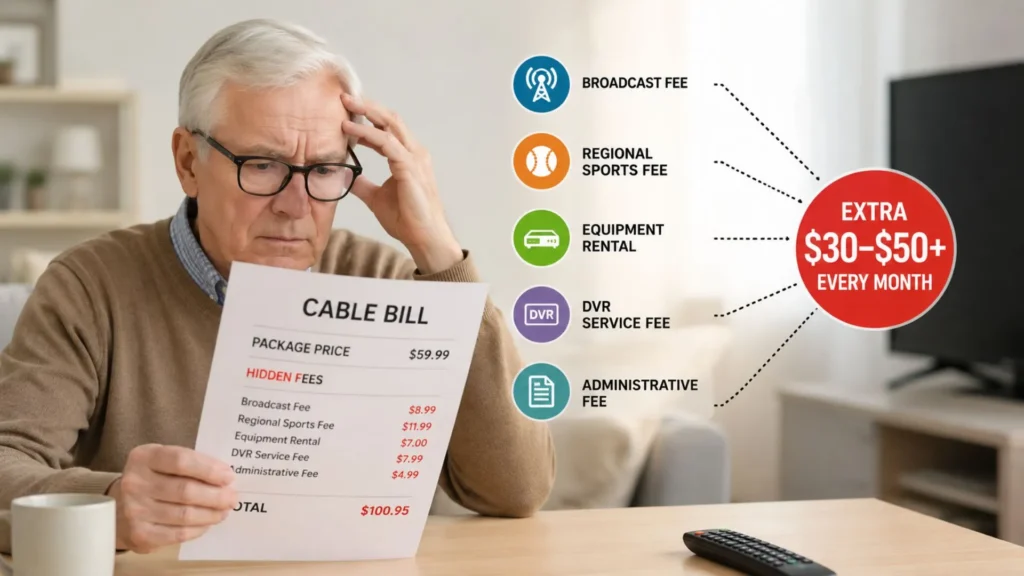
Many cable companies also use promotional pricing to lure you in, then jack up the rates after 12 months. Seniors who signed up years ago might be paying significantly more than new customers for the exact same service—and that’s intentionally designed into their business model.
When It Is Time to Call and Negotiate
Calling your cable company to negotiate can work sometimes, but let’s be real—it’s stressful and time-consuming. You’ll likely spend an hour on hold, get transferred multiple times, and maybe shave $10 or $20 off your bill for a few months before the price creeps back up. The retention department might offer you a “special deal,” but it’s usually temporary and comes with strings attached.
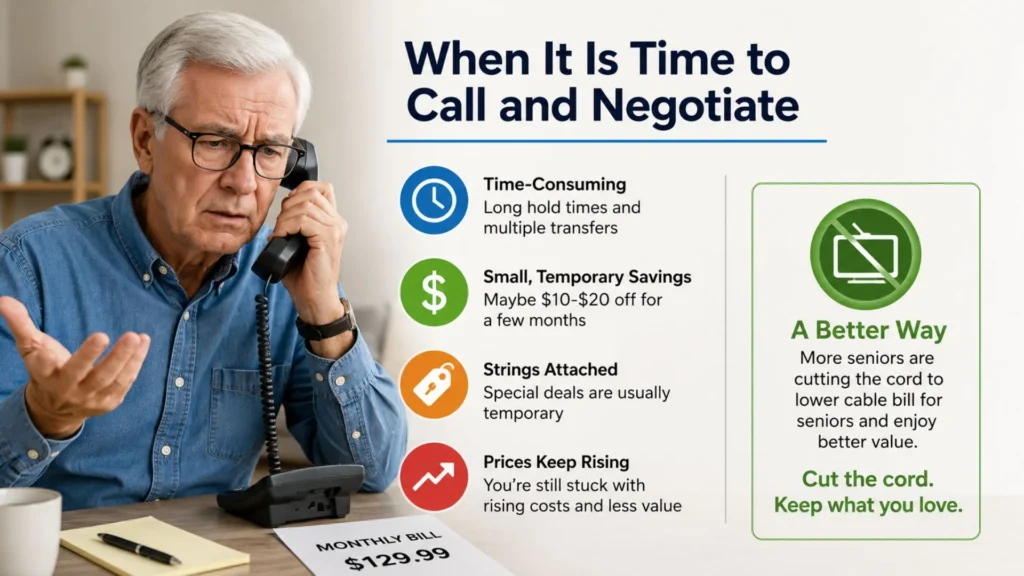
If you do decide to call, be prepared to mention competitor pricing and be willing to threaten cancellation. But here’s the thing: even if you successfully negotiate, you’re still paying for a service model built on rising costs and declining value. That’s why more seniors are exploring how to lower cable bill for seniors by cutting the cord entirely rather than playing the negotiation game every year.
The Simple Guide to Cutting the Cord
Cutting the cord sounds intimidating if you’ve had cable for decades, but the transition is much easier than you might think. The streaming world has matured to the point where you can replicate—and often improve upon—your cable experience without the monthly drain on your budget.
Assessing Your Viewing Habits
Start by making a list of what you actually watch. Do you mainly tune in for local news, a few specific networks like ABC or CBS, or international channels? Are you a sports fan who needs live games, or do you prefer on-demand movies and series? Understanding your viewing habits is crucial because it determines what kind of streaming setup will work best for you.
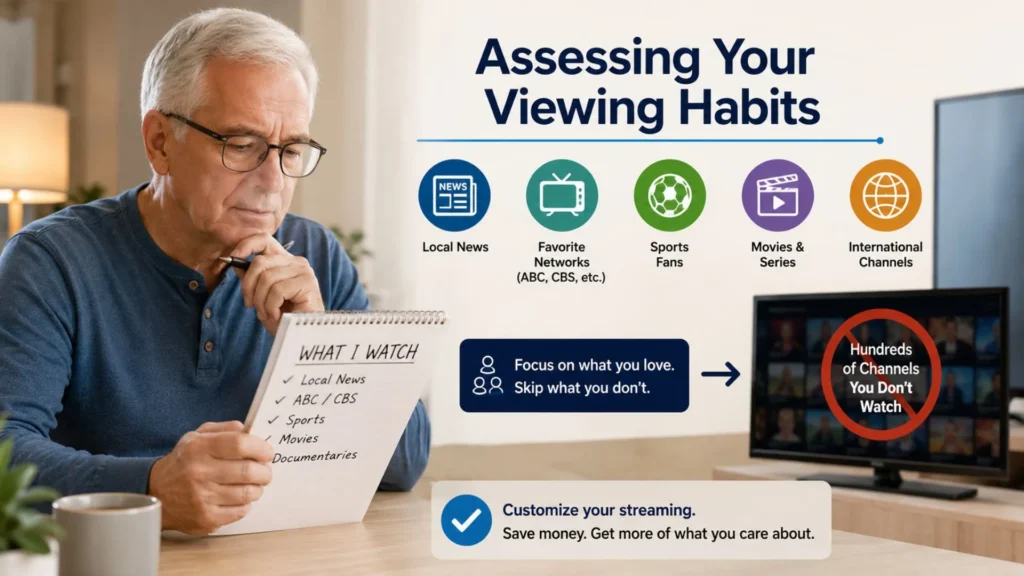
Most people discover they’re paying for hundreds of channels they never watch. By switching to streaming, you can customize your content sources to match what you actually care about, which is a much smarter approach than the one-size-fits-all cable bundle.
Understanding the Shift from Cable to Streaming
The fundamental difference is simple: cable delivers a fixed package of channels through a coaxial connection, while streaming delivers content over your home wifi from various apps and services. Instead of flipping through channels on a cable box, you’ll access content through apps—some free, some paid—on a streaming device connected to your TV.
This shift gives you flexibility. You can choose which streaming services for seniors make sense for your needs and budget, and you can change your mind anytime without penalty. Want to watch a specific show? Subscribe for a month, watch it, then cancel. No annual contracts, no equipment fees, no hidden charges.
Why an Android Streaming Box Makes Life Easier
Here’s where the practical side comes in. While smart TVs have built-in streaming apps, they’re often clunky and slow to navigate. Managing multiple apps on a smart TV can be frustrating, especially if you’re not tech-savvy. That’s why an Android streaming box is the better solution for most seniors figuring out how to lower cable bill for seniors.
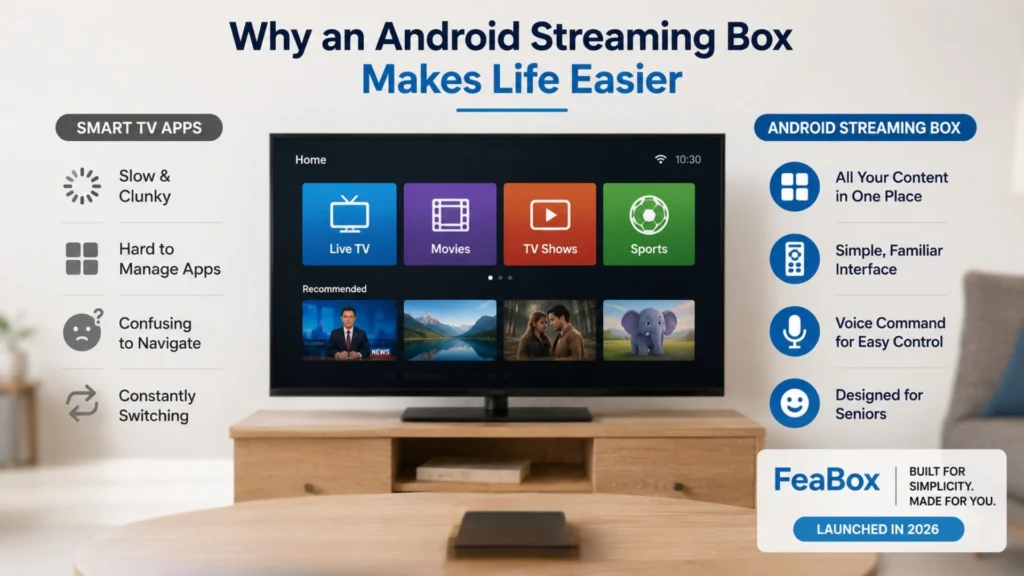
An Android streaming box connects to your TV via HDMI and creates a unified interface where you can access all your content in one place. Instead of switching inputs or fumbling through different menus, you get a channel guide-like experience that feels familiar. You turn on your TV, grab the remote, and everything is right there.
FeaBox launched in 2026 with this exact problem in mind. The team behind FeaBox spent years building and scaling major streaming TV box brands, so they understand what seniors need: reliability, simplicity, and value. Their devices are designed to make the streaming experience as straightforward as possible, with features like voice command and easy navigation that eliminate the tech headaches.
Essential Tools for Seniors to Stream TV Easily
Once you’ve decided to explore alternatives to cable, having the right tools makes all the difference. The goal is to create a setup that’s easy to use daily and doesn’t require constant troubleshooting or tech support calls to your grandkids.
Setting Up a Unified Streaming Interface
The biggest complaint about streaming is having to jump between different apps to find what you want to watch. One show is on Netflix, another on Hulu, local news is on a different app, and international channels are somewhere else entirely. It’s enough to make anyone want to go back to cable.
This is where a quality Android TV box shines. Devices like the FeaBox F1 Pro aggregate your streaming options into one cohesive menu. You can browse content from multiple sources without constantly backing out and opening new apps. The Time Shift feature even lets you pause live TV and resume later, just like a traditional DVR.
Accessing International and Local Channels
Many seniors want access to channels from their home country or need reliable local news coverage. Cable packages that include international programming are usually expensive premium tiers. Streaming opens up global content in a way cable never could.
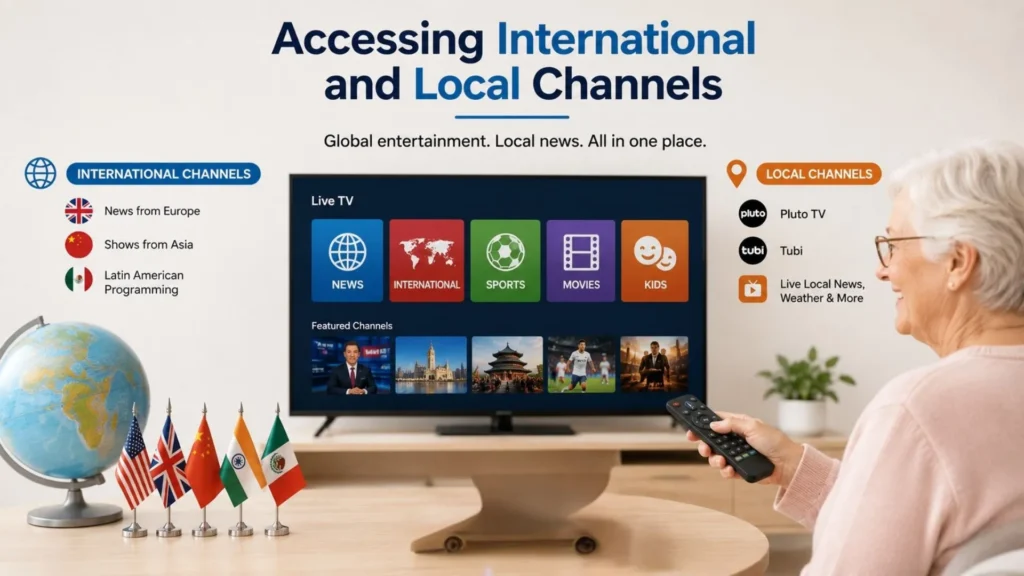
With an Android streaming box, you can install apps that provide access to international channels from virtually any country. Whether you want to keep up with news from Europe, watch shows from Asia, or enjoy Latin American programming, the options are extensive and often much cheaper than cable’s international packages.
Local channels are available too, through apps like Pluto TV, Tubi, and others that offer live streams of major networks. You won’t miss out on your local news or weather when you cut cable—you’ll just access it differently.
Managing Subscriptions vs. One Time Purchases
One concern seniors have about switching to streaming is ending up with as many subscriptions as their old cable bill. Here’s the difference: with streaming, you’re in control. You can subscribe to one or two paid services if you want premium content, or stick entirely with free apps. There’s no requirement to maintain a base package just to access anything.
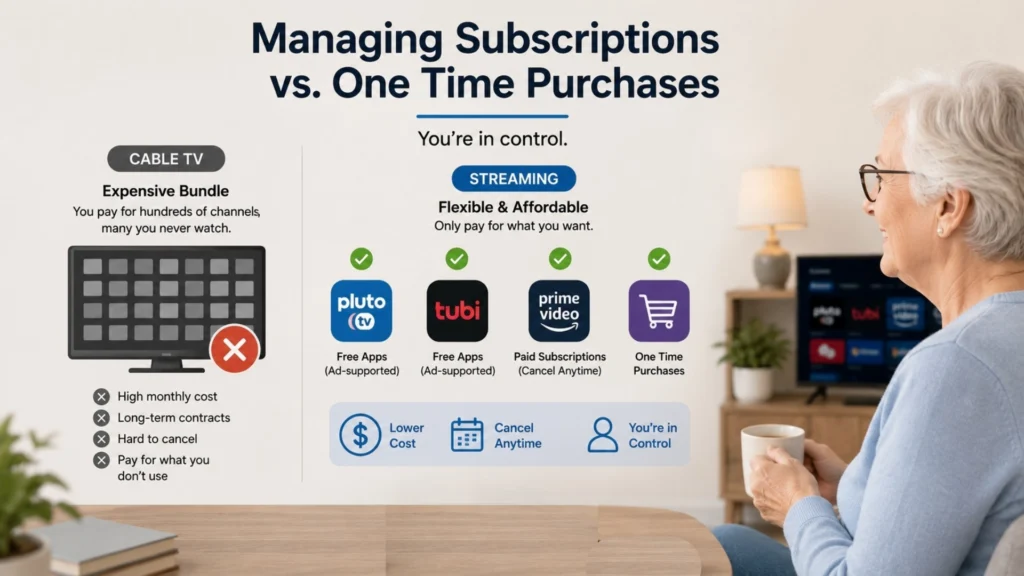
Many streaming apps are completely free and supported by ads, similar to traditional broadcast TV. Others offer one-time purchase options for specific content. And for the apps you do pay for, you can cancel anytime without penalty. This flexibility is the core advantage of learning how to lower your cable bill through streaming—you only pay for what you actually use.
How to Choose the Right Streaming Solution for Your Home
Not all streaming devices are created equal, especially when it comes to usability for seniors. The market is flooded with options, but many are designed for tech enthusiasts rather than everyday users who just want to watch TV without a hassle.
Ease of Use and Remote Control Design
The remote control matters more than you might think. Some streaming remotes are tiny with dozens of buttons, while others are minimalist to the point of being confusing. You want something in the middle—intuitive, with clearly labeled buttons and maybe voice command capability for when you don’t feel like typing.
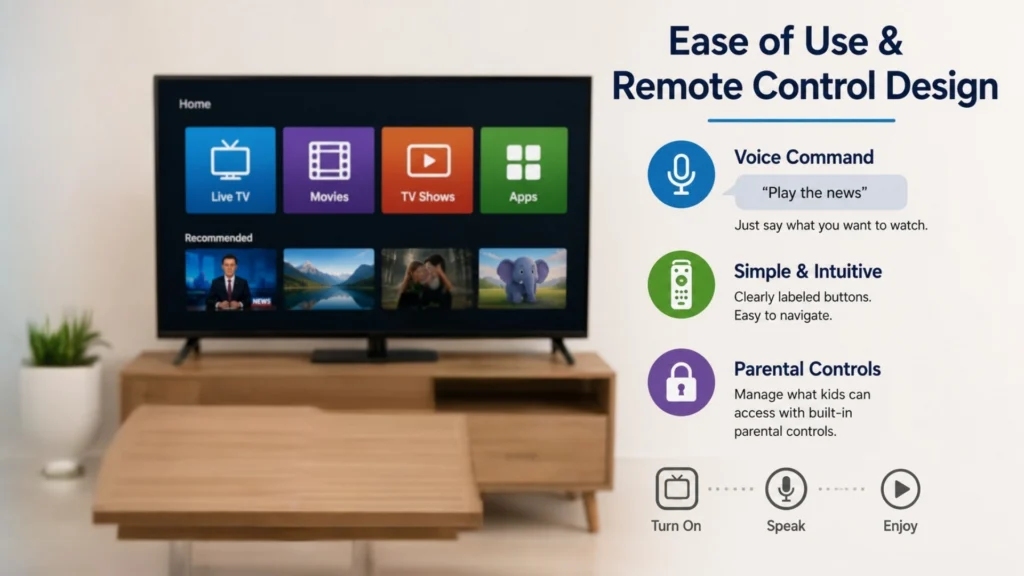
FeaBox prioritizes this with straightforward remote designs and voice command support. You can literally say what you want to watch instead of hunting through menus. Parental Controls are also built in, which is great if you have grandkids visiting and want to manage what they can access.
Compatibility with Existing TVs
Good news: if your TV has an HDMI port (and nearly every TV made in the last 15 years does), it’ll work with an Android streaming box. You don’t need to buy a new television. Just plug the box into the HDMI port, connect to your wifi, and you’re ready to go.
This is one of the easiest aspects of the transition. Your existing TV becomes a smart TV with all the capabilities of streaming, without having to navigate a clunky built-in smart TV interface that’s often slow and outdated.
Reliability and Long Term Value
When you’re switching from cable to streaming, you want a device that’s going to last. Cheap streaming sticks might save you money upfront but often lag, freeze, or stop receiving updates after a year. That’s frustrating and defeats the purpose of cutting the cord to save money and reduce stress.
FeaBox may have just launched in 2026, but it’s backed by a team with extensive experience in the streaming TV box industry. They’ve already built and scaled successful brands, so they know what works and what doesn’t. The FeaBox F1 Max is built with long-term reliability in mind, offering strong hardware specs that keep performance smooth even as apps and services evolve.
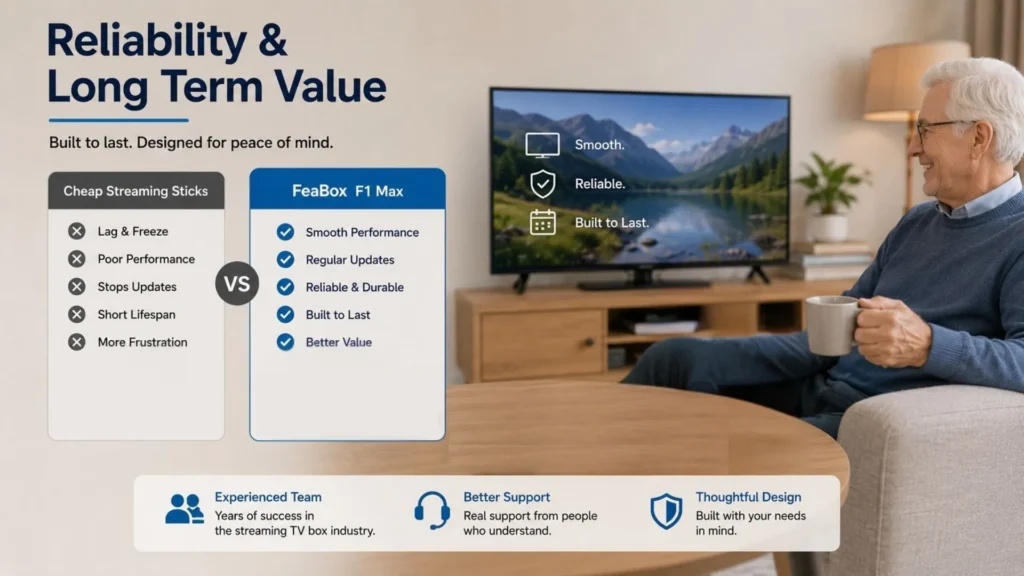
You’re not gambling on an unknown product. You’re getting a device from a team that understands your needs because they’ve been serving customers like you for years under previous brands. That experience translates into better support, more thoughtful design, and genuine value for your money.
Taking the First Step Toward Lower Monthly Bills
The path to understanding how to lower cable bill for seniors doesn’t have to be complicated or stressful. It starts with a simple decision: are you willing to try something different if it means keeping more money in your pocket each month while gaining more control over your TV experience?
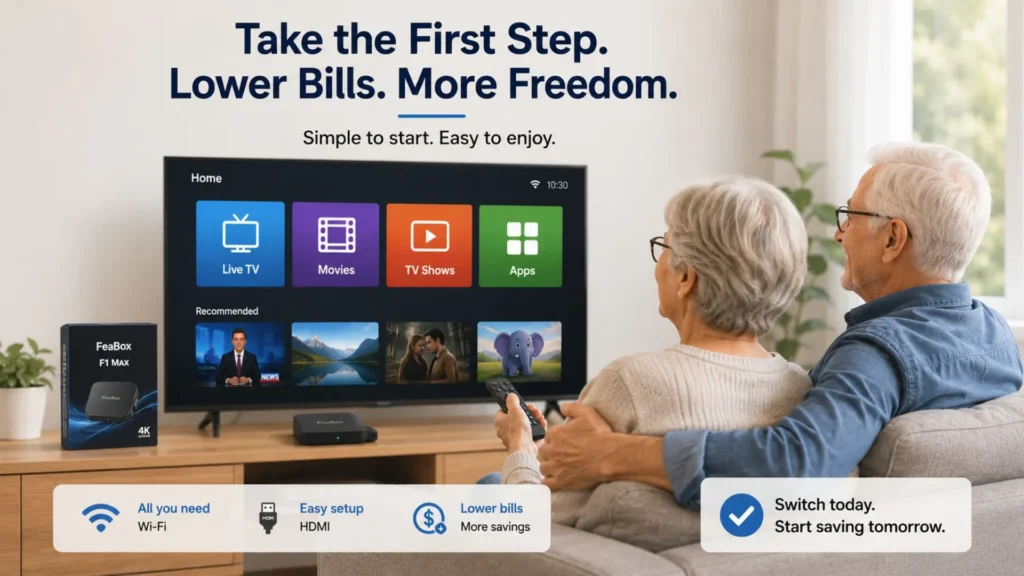
Thousands of seniors have already made the switch and wonder why they didn’t do it sooner. The combination of lower costs, greater flexibility, and access to more content is hard to beat. And with devices designed specifically to make the transition easy, there’s really no reason to keep overpaying for cable.
If you’re ready to stop letting cable companies dictate your monthly budget, explore what FeaBox offers. Their Android TV boxes are built to bridge the gap between the cable experience you’re used to and the streaming world that offers so much more. You only need wifi, an HDMI connection, and a willingness to try something better.
Frequently Asked Questions
Absolutely. Many streaming apps provide live access to major networks like ABC, NBC, CBS, and FOX. You can also use a digital antenna for free over-the-air broadcasts of local channels. Combined with an Android streaming box, you’ll have more than enough options for local news and network programming without paying cable prices.
Not at all, especially if you choose a user-friendly device. FeaBox devices are designed with simplicity in mind, featuring easy-to-navigate menus and voice command capabilities. If you can use a TV remote, you can use a streaming box. Most seniors find the learning curve minimal, and once you’re set up, daily use is actually easier than dealing with cable menus and channel guides.
Even if you subscribe to two or three paid streaming services, you’ll likely still pay significantly less than cable. Plus, you’re not locked into those subscriptions—you can rotate them based on what you’re watching. Many seniors find that a mix of free apps and one paid service covers all their needs for a fraction of their old cable bill. Understanding how to lower cable bill for seniors is all about customizing your approach to your actual viewing habits.
You need a reliable internet connection, but it doesn’t have to be ultra-high-speed. Most streaming services recommend at least 10-25 Mbps for smooth streaming. If you already have internet for email and browsing, it’s probably sufficient. Check with your internet provider—you might already have enough speed, and even if you need to upgrade slightly, the total cost will still be far less than cable plus internet.
Yes, this is one of the biggest advantages. Android streaming boxes like those from FeaBox give you access to apps and services from around the world. Whether you want to watch shows from Europe, Asia, Latin America, or anywhere else, you’ll find far more international content options than cable ever offered, often for much less money or even free.
Your Next Step to Cutting Cable Costs
If you’re tired of watching your cable bill climb every year and you’re ready to take control, now’s the time to explore streaming alternatives. The question of how to lower cable bill for seniors has a clear answer: switch to a streaming setup that gives you the content you want without the inflated costs, hidden fees, and locked-in contracts.
FeaBox makes this transition simple and affordable. With devices designed for ease of use, backed by a team with years of industry experience, you’re not just cutting costs—you’re upgrading to a better way to watch TV. Visit the FeaBox official website to learn more about their Android streaming boxes and see how easy it is to start saving money while gaining more control over your entertainment.
Don’t let another month go by overpaying for cable. Make the switch, keep your favorite shows, and finally enjoy TV on your terms.